
Is Your Phone Fast Enough for Local AI?
The short answer: If your Android phone has 4GB or more of RAM, you can run small AI models locally. 8GB is recommended for a good experience. Older and budget phones can still run the smallest models. Keep reading to find out exactly what your device can run.
TokForge is free. Android is live on Google Play; iPhone and iPad are in public beta on TestFlight. No account, and it works with the network off once a model is downloaded.
Reading on a computer? Check which models fit your phone, or see real measured speeds on the phone-speed leaderboard.
Minimum Requirements
Before you download TokForge, check that your phone meets these baseline specs:
- Android 8.0+ (API 26 or higher) on a 64-bit ARM processor
- 4GB RAM: Minimum; small models only (around 1B parameters)
- 6GB RAM: Runs 2 to 3B models
- 8GB RAM: Recommended; runs 4B models comfortably
- Free storage for each model: from about 0.6GB for the smallest to about 21GB for the largest
If your phone has less than 4GB of RAM, local AI may not be practical. Consider using the Remote API backend to connect to a server instead.
RAM Tier Guide
The amount of RAM in your phone directly determines which AI models you can run and how fast they'll respond. Here's a quick reference:
| RAM | Experience | Models You Can Run | Example Devices |
|---|---|---|---|
| 4GB | Basic | Up to about 1B | Budget phones 2022 to 2023 |
| 6GB | Good | Up to 3B | Many mid-range phones |
| 8GB | Great | Up to 4B | Many flagships from 2023 and 2024, and some mid-range phones |
| 12GB | Excellent | Up to 8 to 9B | Pixel 9, Xiaomi 14T Pro, many recent flagships |
| 16GB | Premium | Up to 14B | OnePlus Ace 5 Ultra (16GB version), some recent flagships |
| 24GB | Enthusiast | Up to 27B | Gaming phones, tablets |
Chipset Matters Too
RAM tells only part of the story. The processor and GPU in your phone affect how fast models run. Here's the hierarchy. From TokForge 1.3.8 (beta), each phone also checks and times its own CPU and GPU routes, so treat these tiers as starting points (see how your phone picks the route).
Snapdragon 8 Gen 3 and newer Snapdragon flagships
Top tier. OpenCL GPU acceleration, plus the NPU (QNN) for image generation.
Recent flagships with other GPUs (such as the Xiaomi 14T Pro and OnePlus Ace 5 Ultra)
Excellent. GPUs with Vulkan support. 8B models are usable on phones with enough RAM.
Snapdragon flagships from 2023
Very good. Solid GPU performance. Suitable for models up to 8B with good thermal management.
Upper mid-range chips
Good. Supports OpenCL. Works well with 2 to 4B models.
Mid-range Snapdragon chips
Decent. CPU + OpenCL support. Better suited for small models (0.8B to 2B).
Older or Budget Chips
CPU-only execution. Still usable with tiny models (around 1B), but slower. GPU acceleration is not available. Chips without the ARM dot-product instructions (many older budget processors) run GGUF models only; MNN models will not load on them.
How to Check Your Phone's Specs
Don't know your phone's RAM or chipset? It's easy to find:
RAM and Processor
- Open Settings
- Tap About Phone
- Look for RAM and Processor (or Chipset)
Detailed CPU/GPU Info
For more detail, download an app like CPU-Z from the Play Store. It shows your exact processor model, GPU, and thermal information.
In TokForge
Once you install TokForge, the Model Manager marks which models fit your phone's RAM, and AutoForge tests settings on your phone to find the fastest, most stable ones.
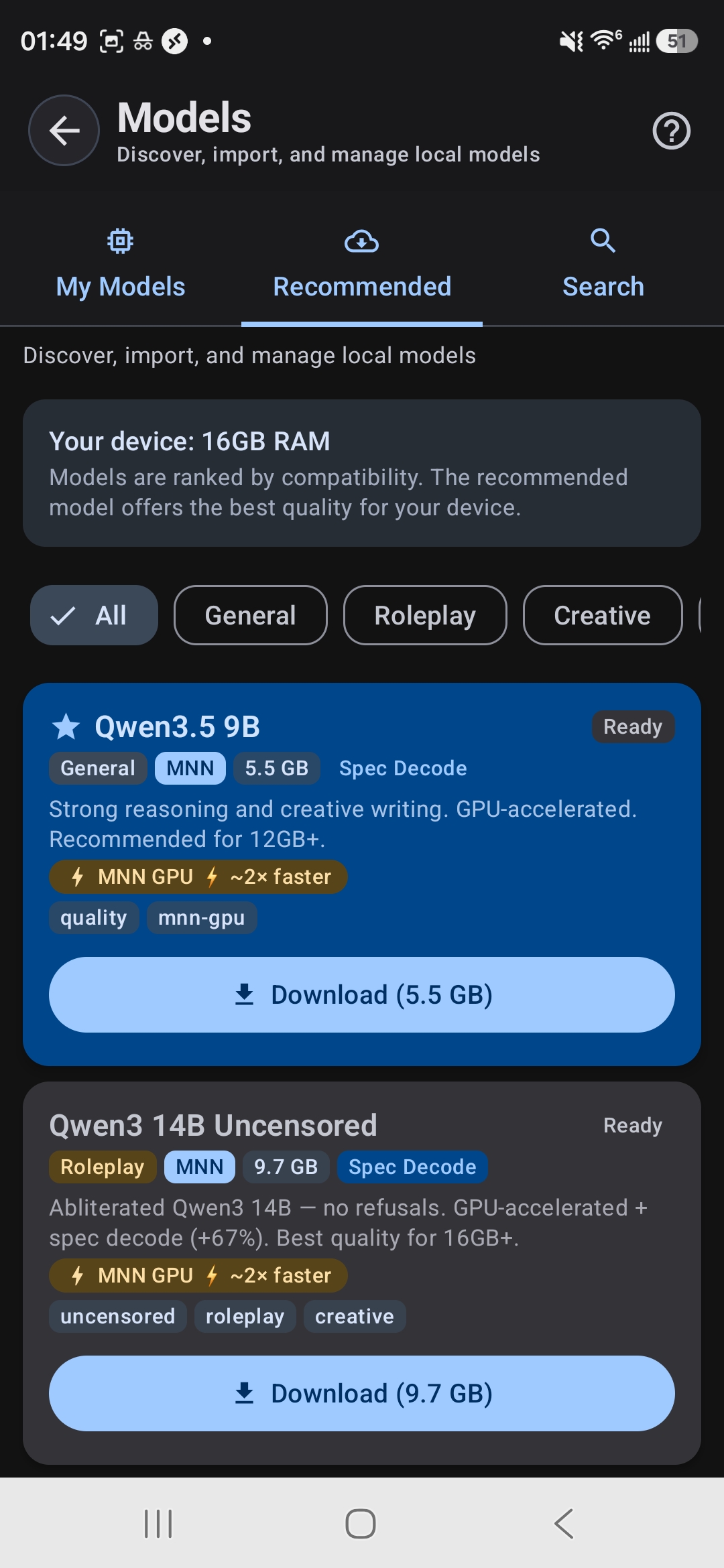
Model Browser shows your RAM and ranks models by compatibility
Tablets Work Great
Thinking about running AI on a tablet instead? Tablets often have larger RAM pools and superior thermal management, making them excellent for longer AI sessions and larger models. If you have a tablet with 8GB+ RAM, it's a fantastic choice for local AI work.
What If My Phone Is Too Weak?
Don't worry. If your phone can't run the models you want locally, you have another option: use the Remote API backend. Connect TokForge to a server running the AI model, and use TokForge as the chat interface. Your phone becomes the client, and the heavy lifting happens remotely. Your messages go to that server, so use one you trust.
Real Device Examples
Want to see what your device (or a device you're thinking of buying) can actually do? Here are some typical examples:
Snapdragon 8 Gen 3 phone, 12GB
Older flagship, 8GB
OnePlus Ace 5 Ultra
Mid-range phone, 6GB
Budget phone, 4GB
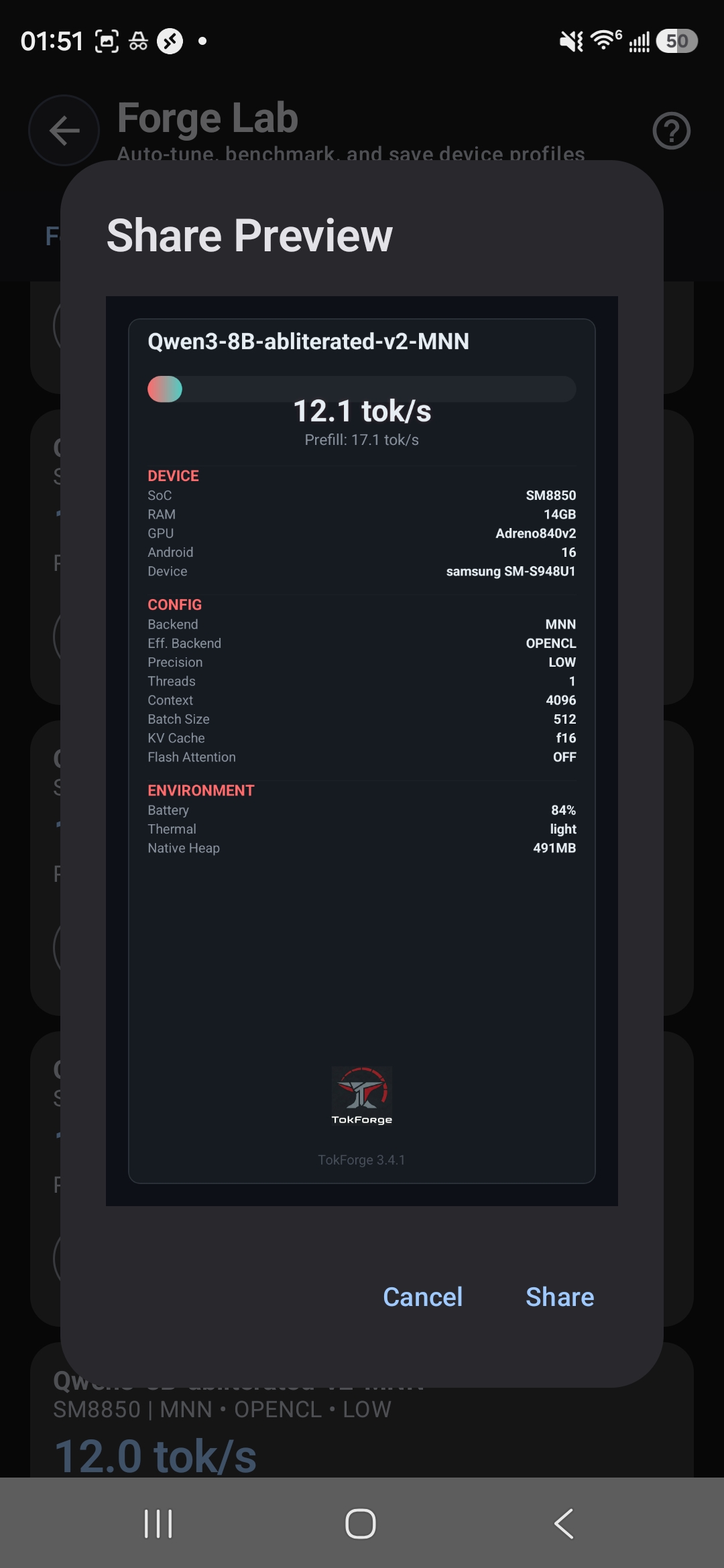
A benchmark share card records the device, SoC, model, backend and config alongside the result. Live results from real handsets are on the phone-speed leaderboard.
Ready to Run AI on Your Phone?
The best way to know if TokForge works for your device is to try it. It's free, and worst case you'll learn exactly what your phone can do.
Download TokForge Free on Google PlayQuick Answers
Can my phone run it?
If your phone has 4GB of RAM or more and runs Android 8.0 or newer on a 64-bit ARM processor, yes, at least at the small end: 4GB handles very basic models, 6GB runs 2 to 3B models and 8GB runs 4B models. The RAM tier guide above maps your exact device to what will fit.
Can I run multiple models at once?
You can have multiple models installed on your phone, but only one can run at a time. Switch between them in the Model Manager; loading a model takes a moment.
Does running AI drain my battery?
Running inference uses CPU/GPU, which does consume battery. We have not published a battery-drain measurement, so we will not put a number here. What is true: inference is a sustained CPU or GPU load, so it draws meaningfully more power than reading or scrolling, and a long session will be noticeable. Airplane mode can help a little by turning the radios off.
Will my phone overheat?
Phones are designed to handle sustained loads, and Android slows the processor down by itself if the phone gets too hot, so generation gets slower rather than unsafe. AutoForge results note when a run was thermally throttled. Tablets handle heat better due to larger surface area.
What if I want to run really large models (27B+)?
That's what the Remote API is for. Connect to a server or PC running the model, and use your phone as the interface. TokForge handles both local and remote setups smoothly.