

Your AI.
Your phone.
Nothing leaves.
Run local AI models offline on your phone.
Chat, make pictures and ask about your own files, with no account, no subscription and no cloud. Once a model is on your phone, TokForge keeps answering in airplane mode.
Beta: TokForge 1.3.8.1 is on the Google Play beta track and as an APK in our Discord. See what is new.
- Free
- No account
- No subscription
- Works in airplane mode
Scan the code with your Android phone to open TokForge on Google Play. On iPhone, join the public beta through TestFlight, or first check whether your phone can run a given model.
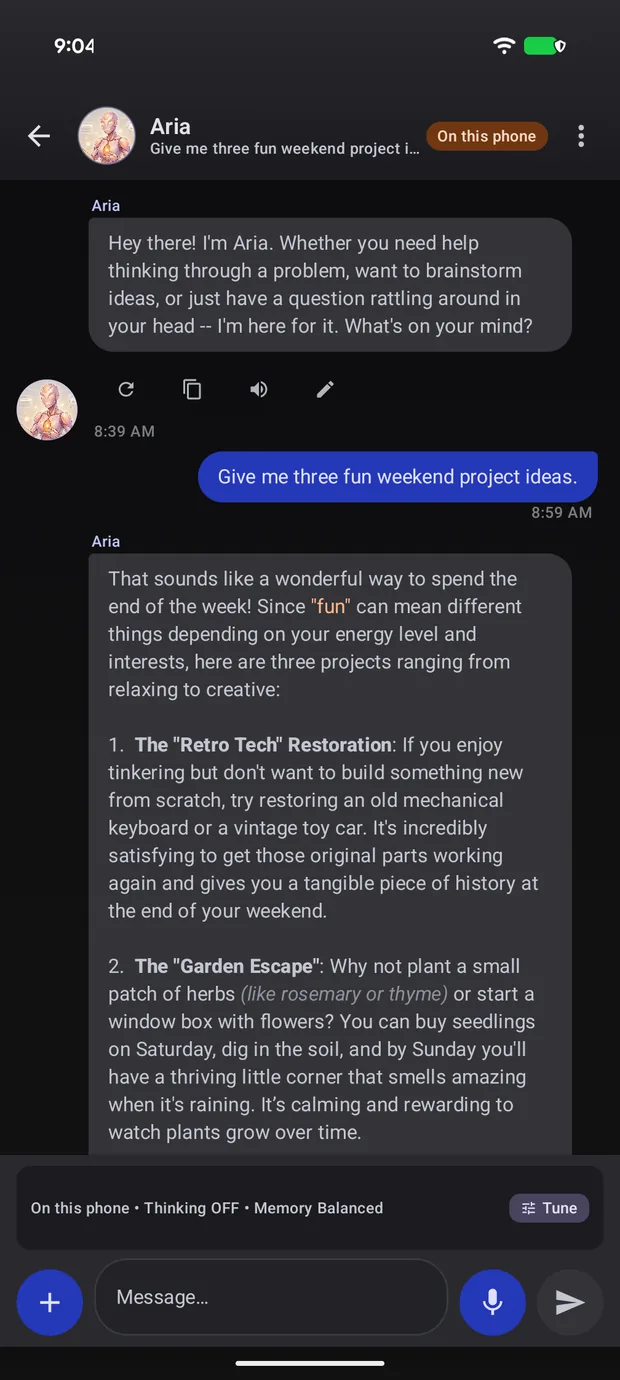 Answered on this phone
01 Private by design
What you type never leaves your hand.
Most AI apps send every word you write to somebody else's computer. TokForge does not send it anywhere. The model sits on your phone, the answer is written on your phone, and the conversation stays there.
- No account. Install it and start typing. There is nothing to sign up for.
- No cloud in the loop. Turn the internet off and it still answers.
- You choose what connects. Downloading a model, optional web search and connecting your own server are separate, and search is off unless you turn it on.
Proof, not a promise
Airplane mode on. Still answering.
This was recorded on a handset with Wi-Fi and mobile data switched off. No server was contacted, because there is no server to contact.
02 Characters
Talk to someone, not to a text box.
TokForge comes with four characters ready to go, and you can build your own in a couple of taps: give them a name, a personality and a voice. They remember what you told them last time.
Already have characters somewhere else? Cards from SillyTavern, Layla and PocketPal import straight in, and roleplay mode lets several of them share one conversation.
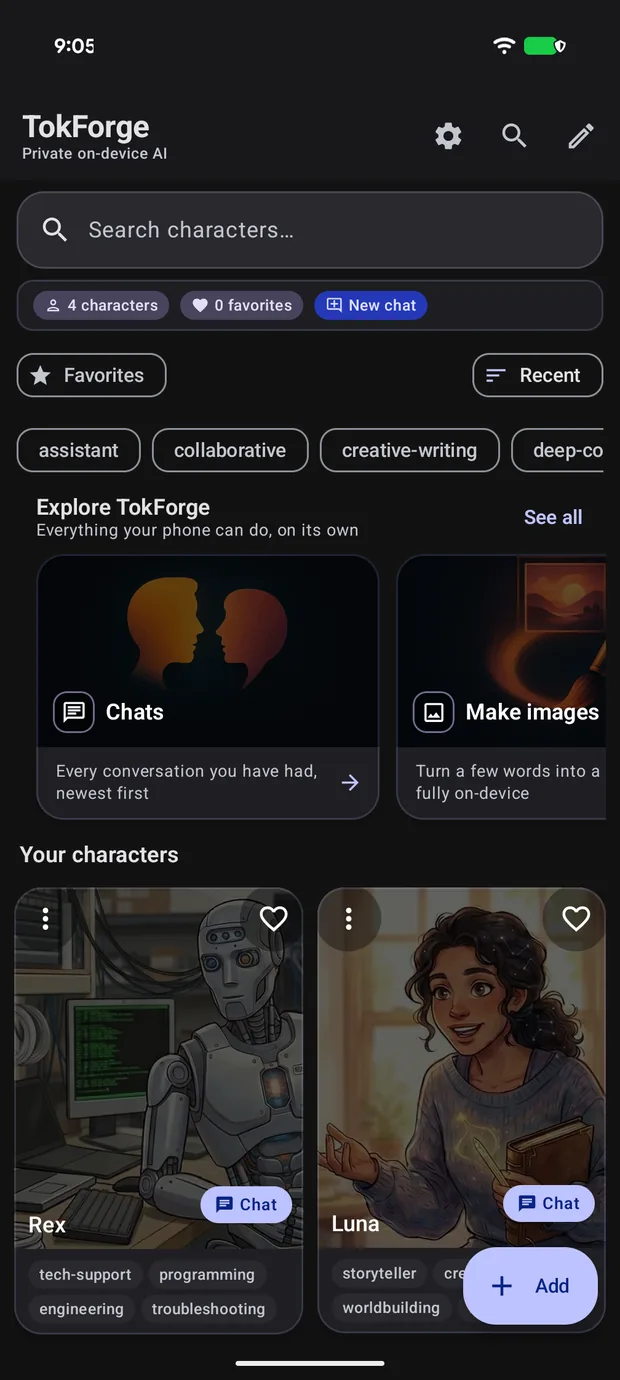
The home screen. Everything on it runs on the handset.
03 Pictures
Make pictures with no signal at all.
Describe what you want and your phone draws it. The image model runs on the handset like the chat model does, so there is no queue, no credit counter and no upload of your prompt.
- Ask for it in the chat. Type the picture you want the same way you type anything else.
- Keep a face consistent. Hand it a reference picture and the same subject can appear again.
- Nothing to pay for. No per-image fee, because nothing is generated anywhere else.
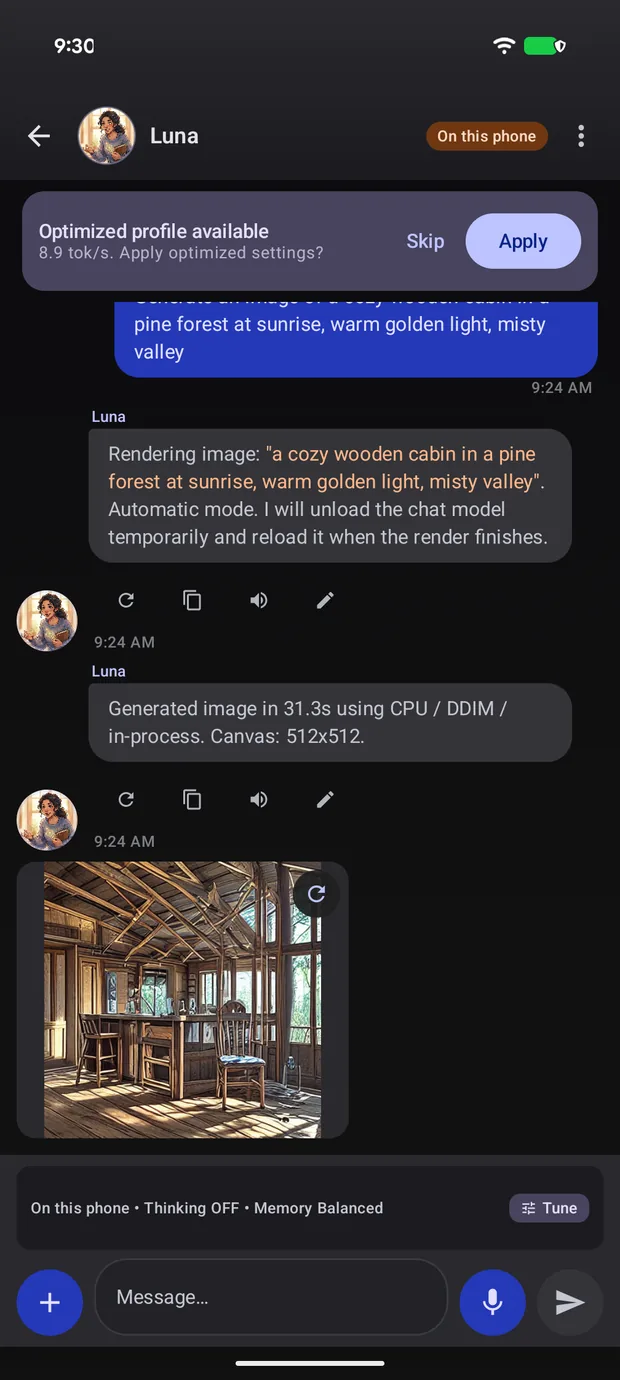
A real render, made entirely on the phone.
04 Your own files
Ask questions about your own files.
Hand it a PDF, a Word file or an ebook and ask what is in it. The reading and the searching happen on the phone, so a contract, a medical letter or a private manuscript never has to be uploaded to anybody.

05 Your phone
It runs on the phone you already own.
You do not need this year's flagship. TokForge looks at the memory your phone actually has and only offers you models that will fit it, from a 4 GB budget handset up to the fastest devices on sale.
- Curated models, already sorted. 52 on Android and a separate iPhone catalogue, each filtered to what your phone's memory can hold. Nothing to configure.
- It tunes itself. The app tests your handset and picks the settings that come out fastest on it.
- Speeds you can check. Real handsets report their own results to a public board, so you can look up something close to your phone.
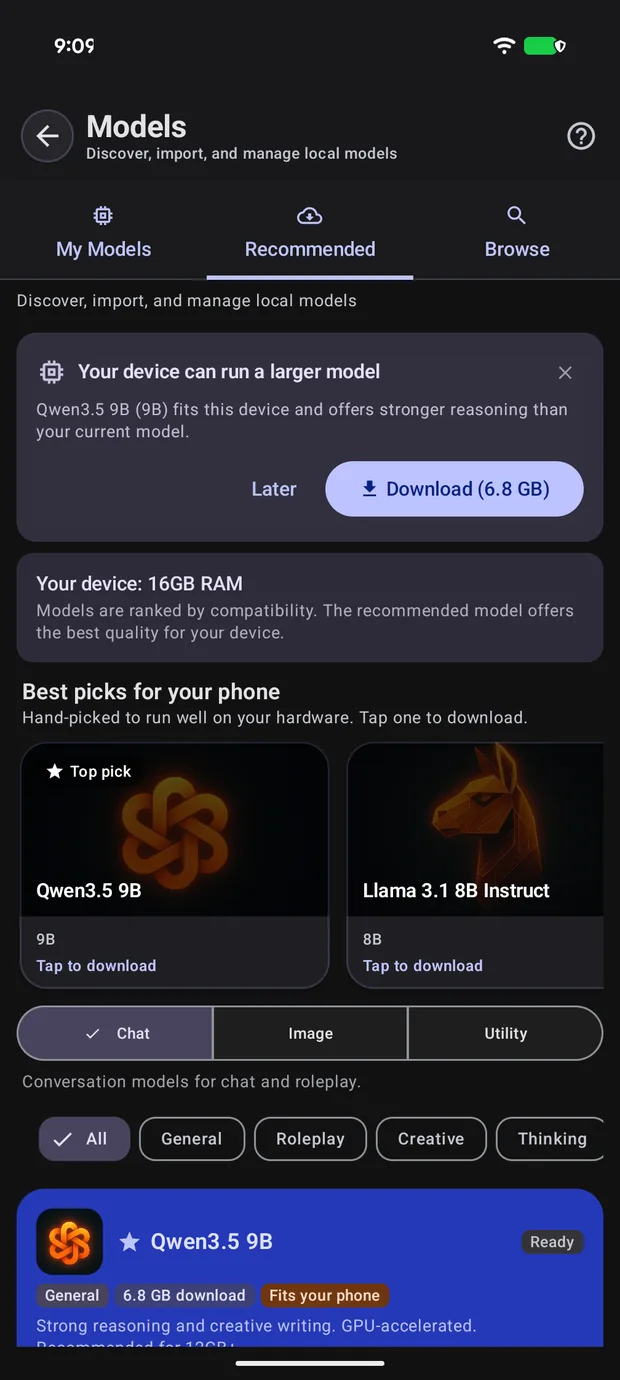
The app reads your device and shows what fits before you download anything.

Figures come from the Android app on Google Play, version 1.3.6.1, and its Google Play listing (checked October 13, 2026).
Questions
The things people ask first.
Is it really free?
Yes. TokForge is free on Google Play and there is no subscription. The iPhone and iPad build is a free public beta on TestFlight. You do not create an account to use it.
Is it really private?
Your conversations are written by your handset and stored on your handset. There is no account and no cloud model answering for you, and the app keeps working with the internet switched off. The few things that can use a connection, such as downloading a model, optional web search and connecting to a server you own, are separate and off unless you turn them on.
What phones can run it?
A phone with 4 GB of memory runs the small models, and 8 GB or more opens up the bigger ones. TokForge checks what your device has and only offers models that fit, so you are not guessing. If you want to check before installing anything, the phone compatibility tool applies the same rule the app applies.
Do I need an internet connection?
Only to install the app and download a model the first time. After that it answers with no connection at all, including in airplane mode on a plane or underground.
Is there an iPhone version?
Yes, as a public beta on TestFlight that anyone can join. It is not on the App Store yet. Join the iPhone public beta.
How fast will it be on my phone?
That depends on your chip, your memory and the size of the model you pick. Rather than quote you an average that describes nobody, TokForge publishes a live leaderboard of results submitted from real handsets, and the app can run the same benchmark on yours.
Community
Built in the open, with the people using it.
Discord
Ask questions, report something broken, tell us which phone you are on and see what other people are running.
Join the DiscordThe speed leaderboard
Every result on it was submitted from inside the app on a real device, with the phone, the chip, the model and the app version attached. Run the benchmark on yours and add it.
Open the leaderboardFor developers
Under the hood, if that is your thing.
Engines
llama.cpp for GGUF, MNN, and an optional connection to your own OpenAI-compatible server. The app routes per device and per model instead of assuming one is best.
Control plane
270+ API endpoints on Android and 200+ on iPhone, so the app can be driven from a script or another app on the same device.
Agents
No-code agents with tool calling, running on the handset, plus document indexing with RAPTOR summarisation and a memory that persists per character.
Measurement
The built-in benchmark runs a warmup and repeated passes on your own device, and you can choose to publish the result to the public board.

Stay in the loop
Get told when something good ships.
Occasional email about TokForge releases. No spam, and telling us which phone you carry helps us aim the next round of tuning at real devices.