How to Run AI Offline on Your Android Phone
Get private, free AI chat on-device with TokForge. No internet, no subscription, no data sharing.
Why Run AI Offline?
Running AI directly on your phone changes everything. Here's what you get:
- Complete privacy. Your conversations never leave your device. No servers, no logs, no third parties.
- Zero cost forever. Download TokForge for free and use it forever. No subscriptions, no API costs.
- Works without internet. Use AI on airplanes, in mountains, on long commutes, anywhere, anytime.
- You own your data. Every message, every insight stays on your phone. You're in complete control.
This is the opposite of ChatGPT or Claude. Those services are powerful, but they require internet and they see everything you ask them. Offline AI means total independence.
What You Need
Before you start, make sure you have:
- Android phone with at least 6GB RAM (8GB+ recommended for best experience)
- 2 to 6GB free storage per AI model you want to run
- TokForge app (free from Google Play)
- A few minutes to download your first model
That's it. No special hardware, no extra apps, no coding required.
Step-by-Step Setup
Step 1: Install TokForge
Head to the Google Play Store and search for TokForge. Tap "Install" and wait for it to download (around 50 to 100MB depending on your region).
Step 2: Pick Your Model
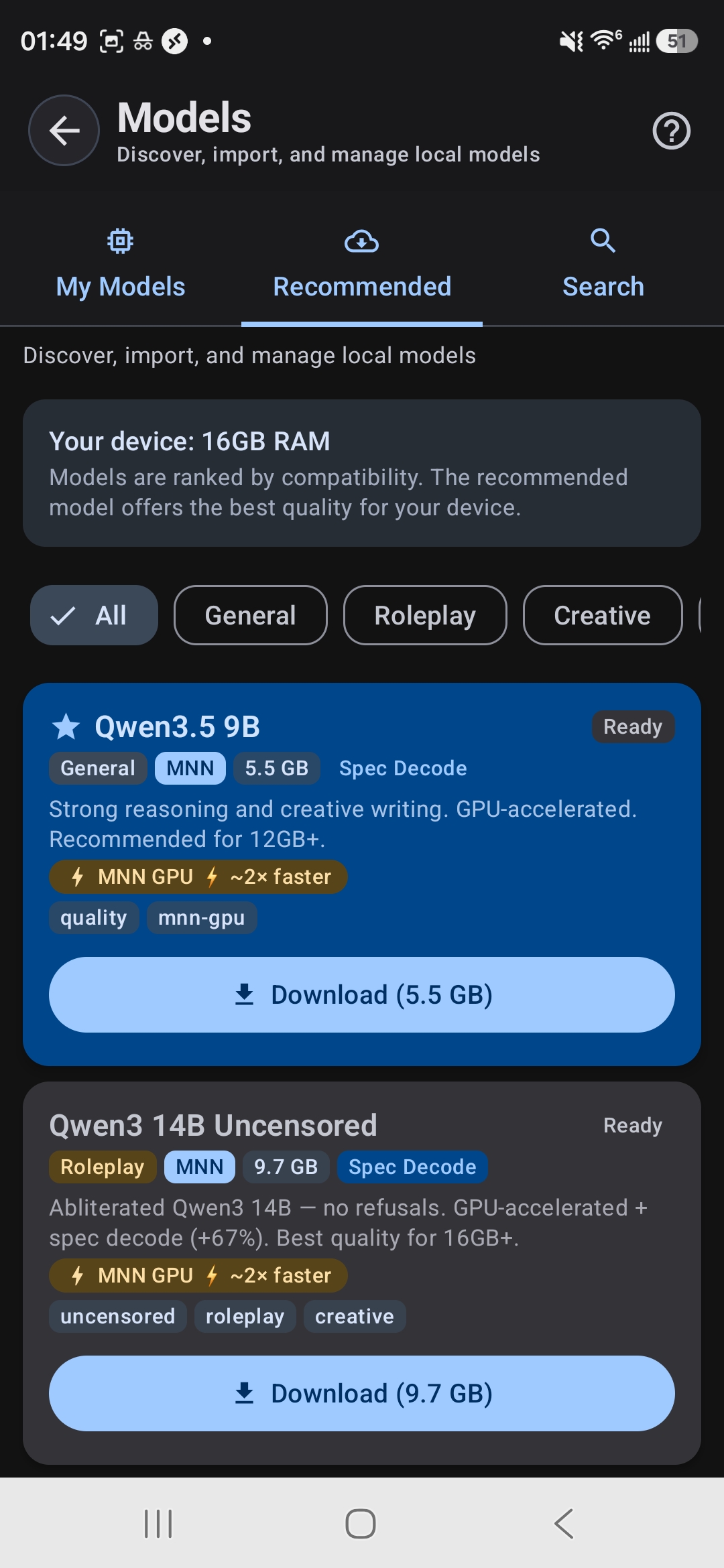
The Model Browser shows which models fit your device's RAM
Open TokForge and go to Model Manager. You'll see a list of AI models. Here's which to pick based on your phone's RAM:
| RAM Tier | Recommended Model | Size | Use Case |
|---|---|---|---|
| 4GB | Qwen3.5 0.8B | 0.6GB | Basic chat, lightweight |
| 6GB | Qwen3.5 2B or Llama 3.2 3B | 1.4 to 2.0GB | General chat, reasoning |
| 8GB | Qwen3.5 4B | 2.8GB | Best balance for most users |
| 12GB+ | Qwen3.5 9B or Qwen3 8B | 5.5 to 5.6GB | Complex tasks, nuanced answers |
| 16GB+ | Qwen3 14B (with speculative decoding) | 9.7GB | Maximum quality, professional work |
Not sure about your RAM? Go to Settings > About Phone and look for "Memory" or "RAM." If you're between tiers, pick the smaller model. Better to run smoothly than stutter.
Step 3: Download Your Model
Tap your chosen model. TokForge will begin downloading. The progress bar shows how much is left. For a 4B model on WiFi, expect 3 to 8 minutes. The app will auto-load the model once the download finishes.
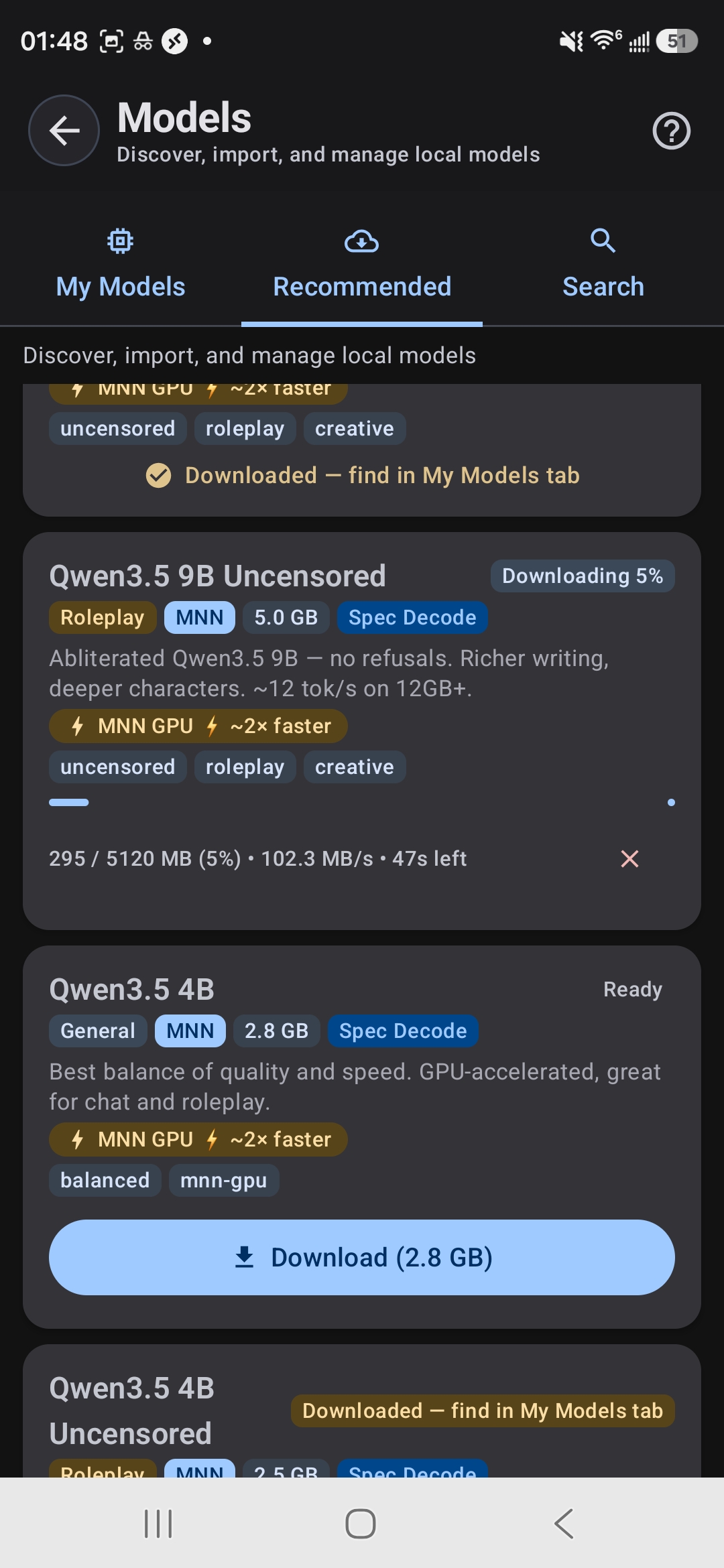
Downloading a model: progress, speed, and time remaining
Tip: Download on WiFi. Using mobile data will be slow and use your plan. Once downloaded, you never need internet again for that model.
Step 4: Start Chatting
Once the model loads (you'll see "Ready" next to its name), pick a character preset or start a blank chat. Type your first message and hit send. TokForge runs inference right on your phone, and you'll see tokens generated in real-time.
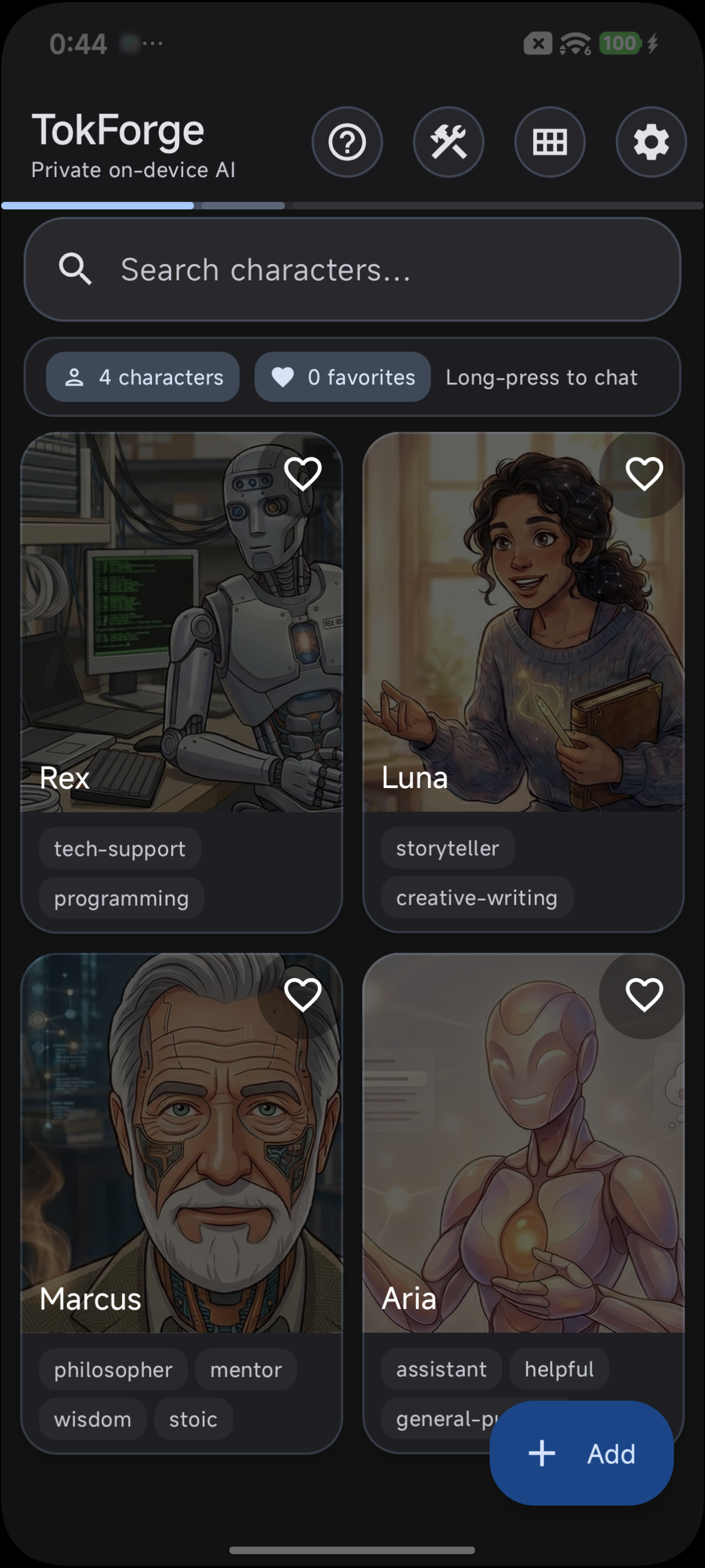
Choose a character or start a blank chat
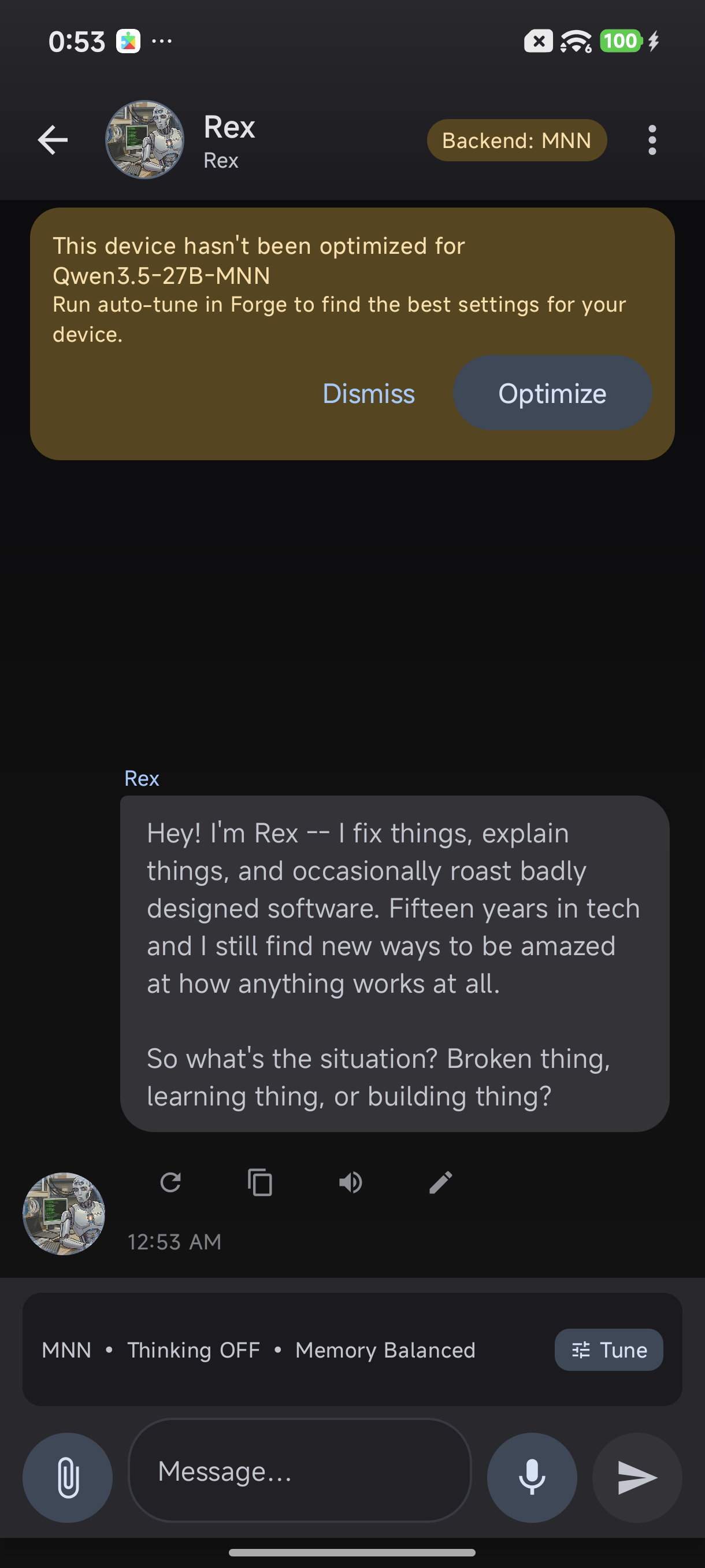
Your first conversation: running entirely on-device
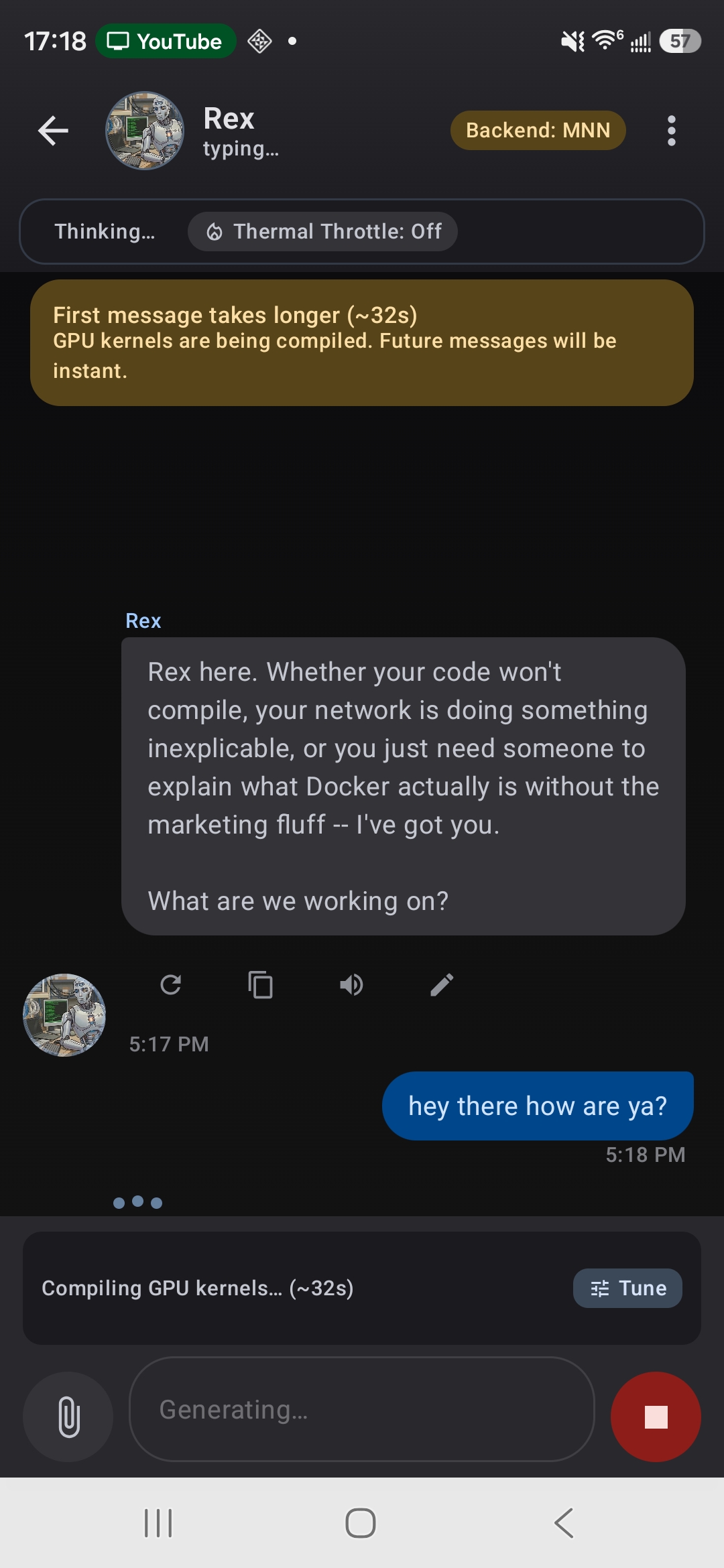
First message compiles GPU kernels: follow-ups are instant
What to Expect
Speed
Generation speed depends on your phone:
- Budget phones (4 to 6GB RAM): ~5 tokens per second
- Mid-range (8GB): ~15 to 20 tokens per second
- Flagship (12GB+): 40+ tokens per second on small (sub-1B) models
The first message takes a few seconds for the model to "warm up" (this is called prefill). Follow-up messages are faster thanks to delta prefill optimization.
Quality
Smaller models (0.8B to 2B) are snappy but basic. They're great for quick factual questions and creative writing. Larger models (8B+) understand nuance, can handle complex reasoning, and produce more polished output. For serious work, use at least a 4B or larger model.
Tips for Best Performance
- Enable GPU acceleration. TokForge auto-detects if your GPU can help. If it finds one that helps on your device, the app will use it automatically.
- Run ForgeLab auto-tune. This finds the fastest settings for your specific phone. It's in Settings > Optimization.
- Close background apps. Close browsers, games, or other heavy apps before lengthy conversations. More free RAM = faster generation.
- Use airplane mode to save battery. WiFi and Bluetooth drain power faster than you'd think. Flip airplane mode on when you're in a deep conversation.
- Keep your phone cool. Sustained inference generates heat. If your phone gets warm, take a break, or the CPU will throttle otherwise.
Frequently Asked Questions
Does TokForge use the internet?
No. Once you download a model, TokForge runs completely offline. It doesn't call any servers, doesn't send data anywhere. The only time you need internet is to download the initial model file.
How good is the AI compared to ChatGPT?
It depends on the model size. A 0.8B or 2B model is like a helpful assistant, great for brainstorming and quick answers. A 4B to 8B model (Qwen or Llama) is competitive with older versions of ChatGPT and very capable for most tasks. The 14B models approach GPT-3.5 level reasoning. We don't claim they match GPT-4, but for offline use, they're impressive.
Will running AI drain my battery?
Running inference uses your CPU or GPU, so yes, it uses more power than scrolling social media. A typical conversation drains battery similar to playing a game for the same duration. However, you're not constantly generating, so there's idle time between messages. Enable airplane mode when chatting to save battery.
Can I use my own models?
Yes. TokForge supports importing GGUF and MNN format models. If you have a custom fine-tuned model or a model from Hugging Face, you can convert it and load it into TokForge. Visit the docs for step-by-step conversion instructions.
Is there a limit to how many models I can download?
No hard limit, but your storage is the constraint. Each model takes 0.6 to 10GB depending on size. Most phones have 64 to 256GB total storage, so you can realistically run 5 to 10 models at once.
What if my phone doesn't have 6GB RAM?
You can use the 0.8B model on 4GB phones. It's tiny and functional. The experience will be slower, but it works. If you have less than 4GB, offline models will struggle because the OS and other apps eat RAM.
Ready to Get Started?
Download TokForge from the Google Play Store and run your first offline AI conversation in under 10 minutes.
Get TokForge on Google PlayNext Steps
Once you're comfortable with TokForge, check out these guides:
- Model Size Comparison Guide: Detailed breakdown of every model: speed, quality, memory usage.
- AutoForge: Advanced Optimization: Squeeze every ounce of performance from your phone.
- Character Cards Guide: Import TavernAI characters, customize personalities, and build persistent AI companions.
Offline AI isn't just faster and cheaper. It's freedom. No subscriptions, no tracking, no waiting for a server to respond. Your AI lives on your phone. Use it however you want, whenever you want.