
Quickstart
TokForge is free. Android is live on Google Play; iPhone and iPad are in public beta on TestFlight. No account, and it works with the network off once a model is downloaded.
Reading on a computer? Check which models fit your phone, or see real measured speeds on the phone-speed leaderboard.
Welcome & Setup Options
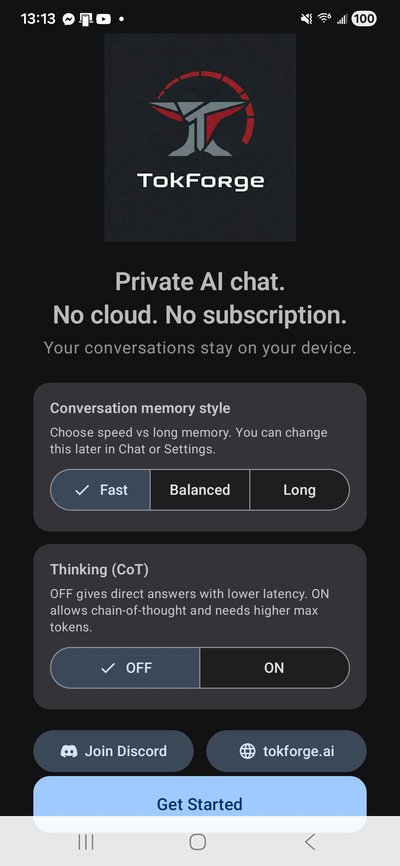
Android: install TokForge from Google Play like any other app.
iPhone and iPad: install Apple TestFlight, then open the TokForge TestFlight invite and tap Install. The screenshots below are from Android; the iPhone flow mirrors them.
On first launch, you'll see the welcome screen. Smart defaults are already set, so there is nothing to configure yet; you can fine-tune memory and reasoning later in Settings.
Tap Get Started to begin onboarding.
Model Recommendation
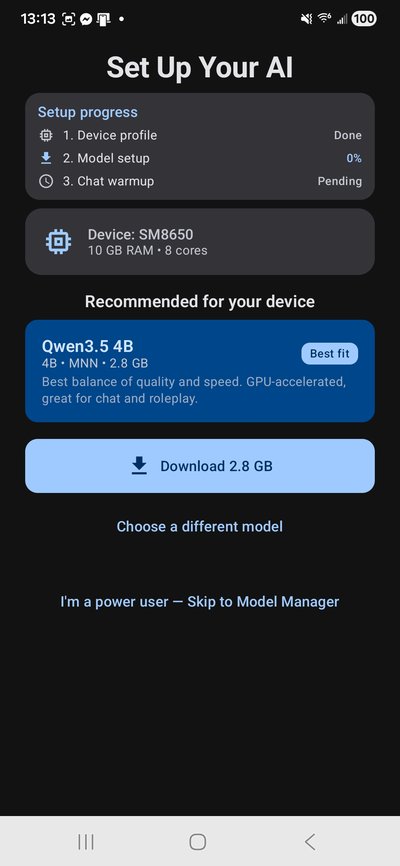
TokForge automatically profiles your device, detecting your SoC, RAM, and GPU capabilities, then shows the models that fit under Set Up Your AI. The Quick start pick downloads fastest; on phones with more memory, a bigger model is offered as an upgrade. Typical picks by memory:
- 4GB RAM: Qwen3.5 0.8B (about 0.6GB)
- 6GB RAM: Qwen3.5 2B (about 1.4GB)
- 8GB RAM: Qwen3.5 4B (about 2.8GB) or Gemma 4 E2B (about 3.6GB)
- 12GB RAM and up: Qwen3.5 9B (about 6.8GB) or Llama 3.1 8B (about 5.3GB)
The app picks the engine and where it runs for you: MNN or llama.cpp (GGUF), each on the CPU, with OpenCL and Vulkan GPU paths depending on the phone. No manual configuration needed.
Download Model
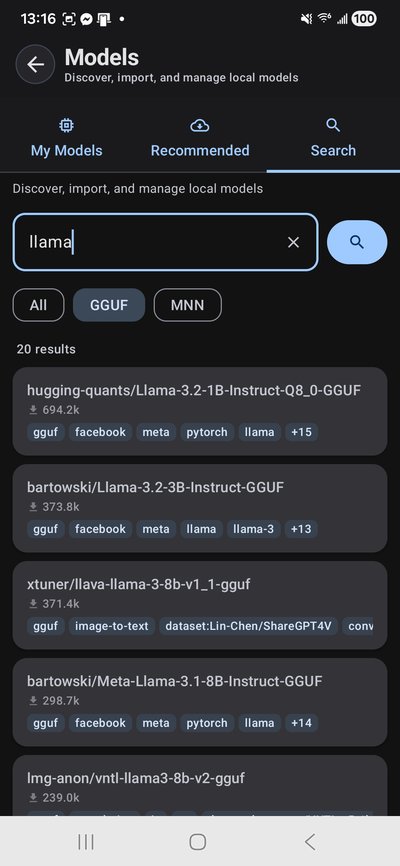
TokForge downloads models directly from Hugging Face with intelligent retry and real-time progress tracking.
You'll see:
- Live download speed and ETA
- Auto-retry with exponential backoff on network hiccups
- Disk space checks to prevent corruption
Once complete, the model is cached locally and ready to use. You can download additional models anytime from the Models tab.
Acceleration Pack (Optional)
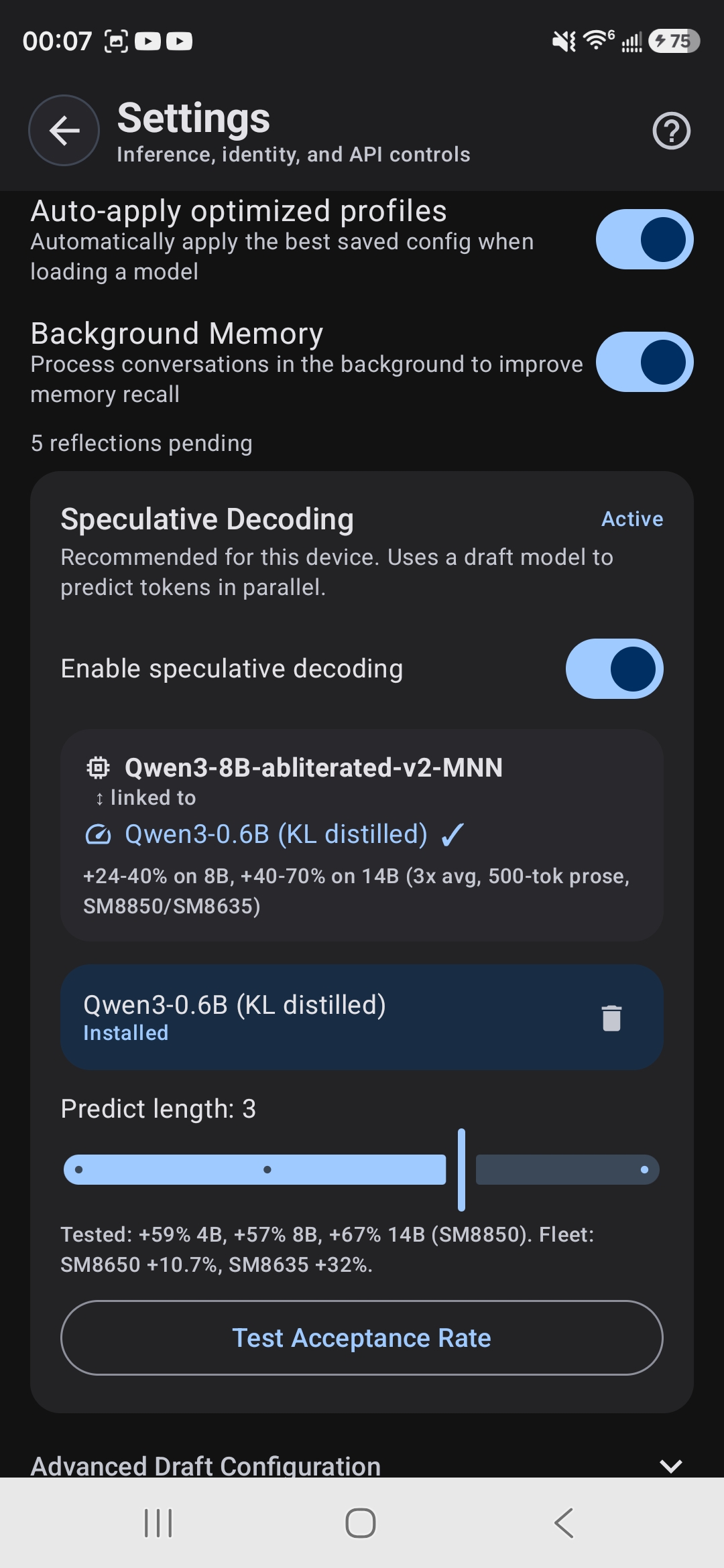
TokForge offers an optional speculative decoding acceleration pack: a lightweight draft model that runs alongside your main model to speed up generation.
Speculative decoding pairs a small draft model with your main model. The main model checks every guess, so answers stay just as accurate. It is off by default, and TokForge turns it on automatically only on phones and models where it measured faster than normal decoding. How much it helps depends on the device, the model and the kind of text.
The pack is a separate download for compatible models. You can skip it; the Models screen offers it again when a compatible model is installed.
Ready to Chat
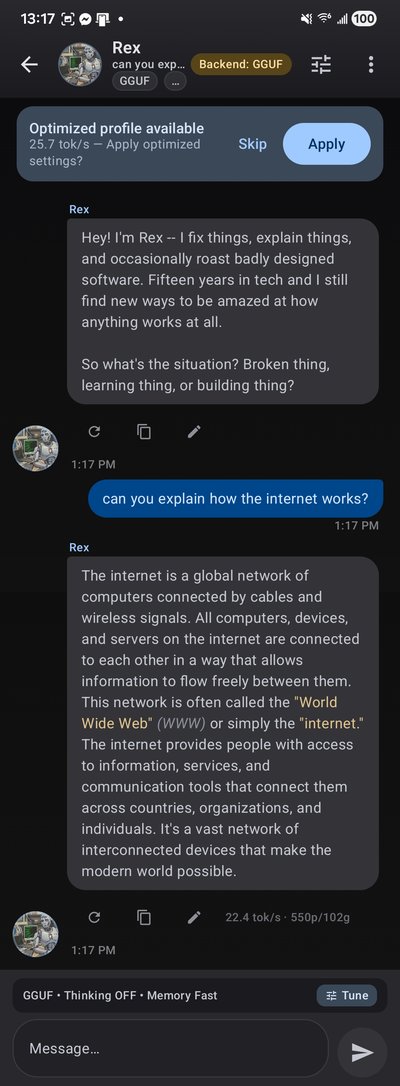
You're all set! Open a chat and start conversing. TokForge provides:
- Streaming tokens: watch the model generate in real time with live tok/s counter
- Kokoro TTS: high-quality offline text-to-speech with 11 voices (Settings → Voice & sound)
- Per-conversation settings: adjust temperature, sampling, and other parameters per character
- Markdown rendering and code syntax highlighting
- Thinking mode: collapsible
<think>blocks show reasoning in real time - Background memory: automatically extracts and stores facts across conversations for continuity
Conversations run on your device. Nothing leaves your phone unless you turn on web search, a remote API, or a leaderboard submission, all of which are off by default.
Key Features
- Character Personas: Built-in personalities (Rex, Luna, Marcus, Aria) or import your own Character Card V2 or V3 (PNG or JSON)
- AutoForge Benchmarks: Measure tok/s, prefill latency, and decode throughput across models and backends
- Engines: MNN and llama.cpp (GGUF) on the CPU, with OpenCL and Vulkan GPU paths depending on the phone, plus a Remote API you configure, with automatic routing
- Voice Input: Speech-to-text for hands-free chatting
- Model Management: Download, cache, and switch models on the fly from the Models tab
System Requirements
- Android: Android 8.0+ (API 26), 64-bit ARM. 4GB RAM minimum, 8GB recommended.
- iPhone and iPad: iOS or iPadOS 16 or newer. The app shows the models that fit your device's memory.
- A few hundred MB to several GB of free storage per model. The Android app download is a little over 100 MB; the model files are the large part.
Troubleshooting
Download timeouts? TokForge auto-retries with exponential backoff. Network hiccups are handled gracefully.
Slow generation? Try a smaller model, or open AutoForge and tap Optimize my phone to tune settings for your phone. Keep the app on screen while it answers.
Custom characters not loading? Make sure your PNG or JSON card is a Character Card V2 or V3. If a card cannot be read, the app shows an import error.
What's Next?
- API Reference: remote device control and benchmarking endpoints
- Benchmark Methodology: how we measure performance
- Get product updates: new builds and release notes
Tip: Benchmark results you choose to submit appear on the public phone-speed leaderboard. Join our Discord to share results and feedback.