Quickstart
Install & Launch
Download TokForge from the Play Store (once available) or install the APK directly from the beta program.
# If you have the APK from the beta program:
adb install tokforge-beta.apk
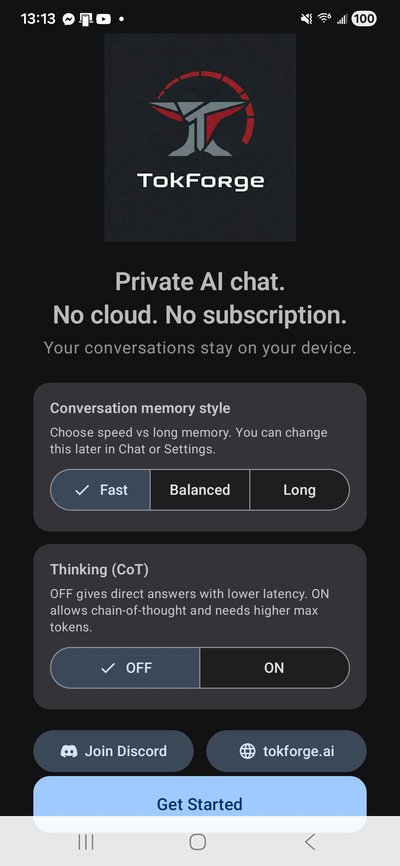
Once installed, open the app. You'll see the welcome screen where TokForge introduces itself and what it can do. Tap Get Started to begin setup.
Device Profiling & Setup
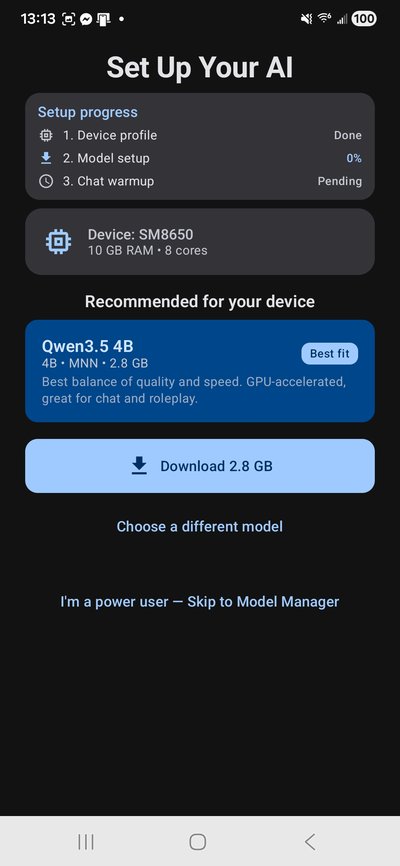
TokForge automatically profiles your device — detecting your SoC, RAM, GPU capabilities, and optimal thread configuration. This takes just a few seconds.
The auto-profiler determines whether your device supports MNN OpenCL (GPU-accelerated) or should use GGUF/llama.cpp (CPU). It also sets the recommended model size based on your available memory.
No manual config needed — TokForge handles everything.
Download Your First Model
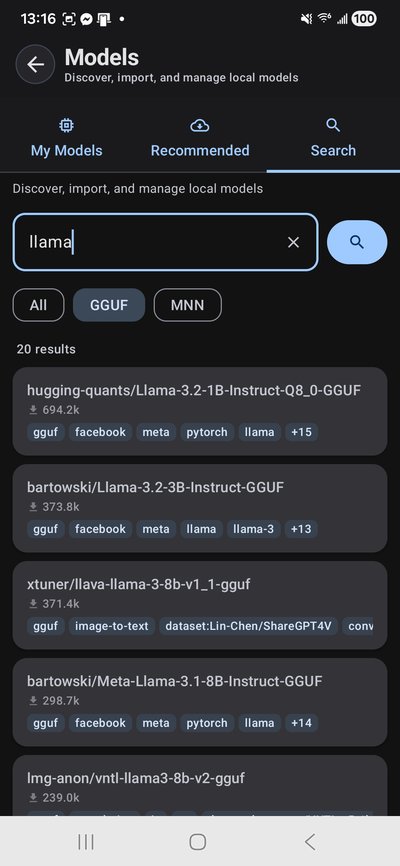
TokForge downloads models directly from Hugging Face — no account required. Browse recommended models or search the full HuggingFace catalog right from the app.
For your first run, we recommend:
- Qwen3-0.6B-MNN (~0.35GB) — fastest, runs on any 4GB+ device
- Qwen3-4B-MNN (~2.3GB) — great balance, up to 20+ tok/s with GPU
- Qwen3-8B-MNN (~4.8GB) — sweet spot for 12GB+ devices
- Qwen3-4B Q4_K_M GGUF — for thinking/reasoning mode
Downloads include auto-retry with speed/ETA display, so you can track progress in real time.
Developer option: Download via API
# Forward the debug port
adb forward tcp:8088 tcp:8088

# Get your auth token
adb logcat -s MetricsServer | grep "Auth token"

# Download a model
curl -X POST http://localhost:8088/control/download-model \
  -H "Authorization: Bearer YOUR_TOKEN" \
  -H "Content-Type: application/json" \
  -d '{"url": "https://huggingface.co/Qwen/Qwen3-4B-GGUF/resolve/main/qwen3-4b-q4_k_m.gguf"}'

# Check download progress
curl http://localhost:8088/control/download-statusChoose a Character & Chat

Pick from built-in character personas — each with unique personalities, writing styles, and system prompts. Or create your own using the TavernAI V2 character card format.
Built-in personas include Rex (direct and analytical), Luna (creative and warm), Marcus (scholarly), and Aria (artistic). Each one shapes how the AI responds to you.
All conversations run 100% on-device. Nothing leaves your phone.
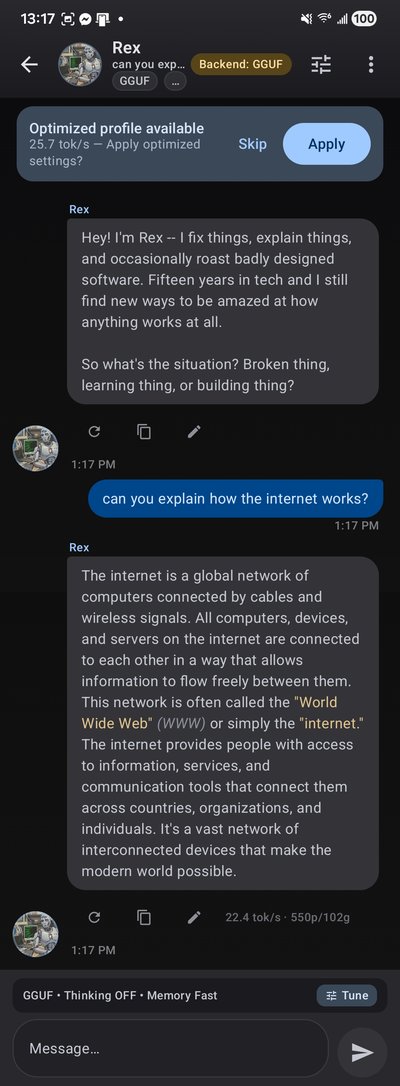
Chat in real time with streaming token output, markdown rendering, and a live tok/s counter. Voice input and TTS read-aloud are built in.
TokForge supports thinking/reasoning mode with collapsible <think> blocks — see the model's chain-of-thought reasoning live as it generates.
Benchmark Your Device
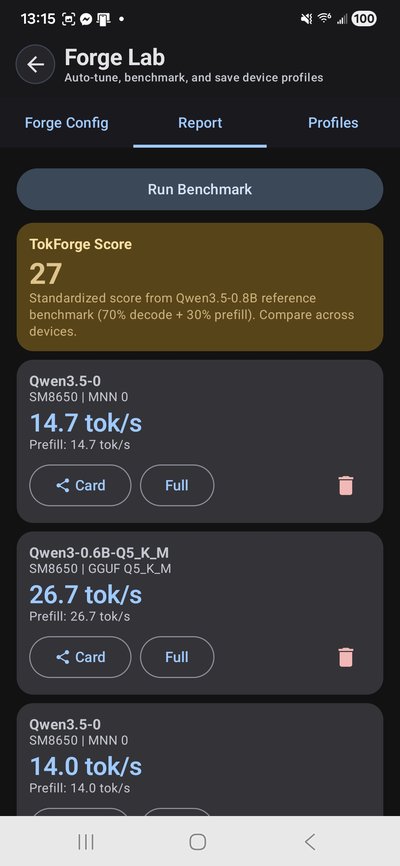
ForgeLab is TokForge's built-in benchmarking suite. It measures tok/s, prefill latency, and decode throughput across every model and backend on your device.
Run a single benchmark or the full Auto-Matrix to test every combination automatically. Results are saved locally and can be exported for cross-device comparison.
Developer option: Benchmark via API
# Run a benchmark
curl -X POST http://localhost:8088/benchmark/run \
  -H "Authorization: Bearer YOUR_TOKEN" \
  -H "Content-Type: application/json" \
  -d '{"prompt": "Explain quantum computing in simple terms", "max_tokens": 128, "runs": 3}'

# Start auto-matrix benchmark
curl -X POST http://localhost:8088/benchmark/auto-matrix \
  -H "Authorization: Bearer YOUR_TOKEN"

# View the full matrix when done
curl http://localhost:8088/benchmark/matrix
What's Next?
- API Reference — full endpoint documentation for remote device control
- Benchmark Methodology — how we measure and what the numbers mean
- Join the Beta — get early access and help shape the platform
Tip: If you can run Qwen3 8B+ locally, we especially want your benchmark profiles. Join the beta and help us build the most comprehensive mobile LLM performance database.