Setting Up Character Cards in TokForge
Master the art of creating and importing AI characters. Learn how to set up custom personalities, leverage persistent memory, and dive deeper into the world of roleplay AI with TokForge.
What are Character Cards?
Character cards are the foundation of your roleplay experience in TokForge. They define the personality, behavior, and identity of your AI companions. Think of a character card as a detailed profile that tells TokForge exactly who your character is, how they should behave, and what they know about the world.
Each character card contains:
- Name and avatar: Visual identity for your character
- Description: Personality traits, background, and defining characteristics
- Greeting message: How the character introduces themselves in new conversations
- World lore (Character Book): Context about the setting, other characters, and special knowledge
- Personality traits: Speech patterns, quirks, and behavioral guidelines
TokForge supports the TavernAI V2 character card format, which uses PNG files with embedded JSON data. This format is widely used across the AI roleplay community, meaning you can import thousands of community-created characters or export your own for use elsewhere.
Built-in Characters
TokForge ships with four carefully crafted bundled characters to help you get started right away. Each has a unique personality, custom avatar, and specialized knowledge:
Each character is pre-configured with optimal settings, including personality descriptions and first messages. They're ready to use immediately. Just select one and start chatting.
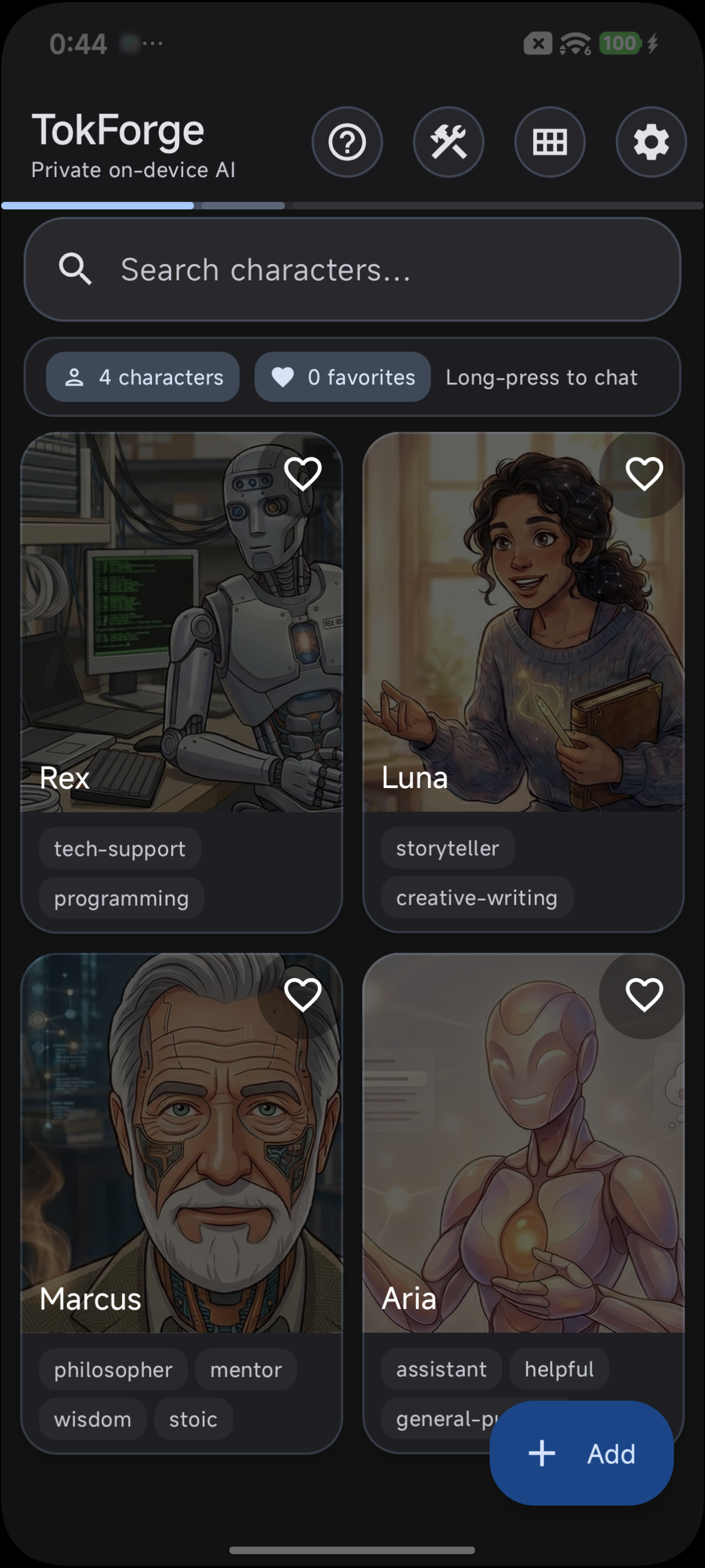
TokForge ships with four built-in characters
Importing Character Cards
One of TokForge's superpowers is the ability to import character cards created by the community. Thousands of high-quality characters are available on platforms like Chub.ai, CharacterHub, and other repositories.
Step-by-Step Import Guide
Using the API
If you're building an integration or automation, you can also import characters programmatically:
POST /characters/import
Content-Type: multipart/form-data

{
  "file": [PNG file with embedded character data]
}
Per-Character Settings
Each character in TokForge can have completely independent configurations. This means you can optimize different characters for different purposes without affecting others.
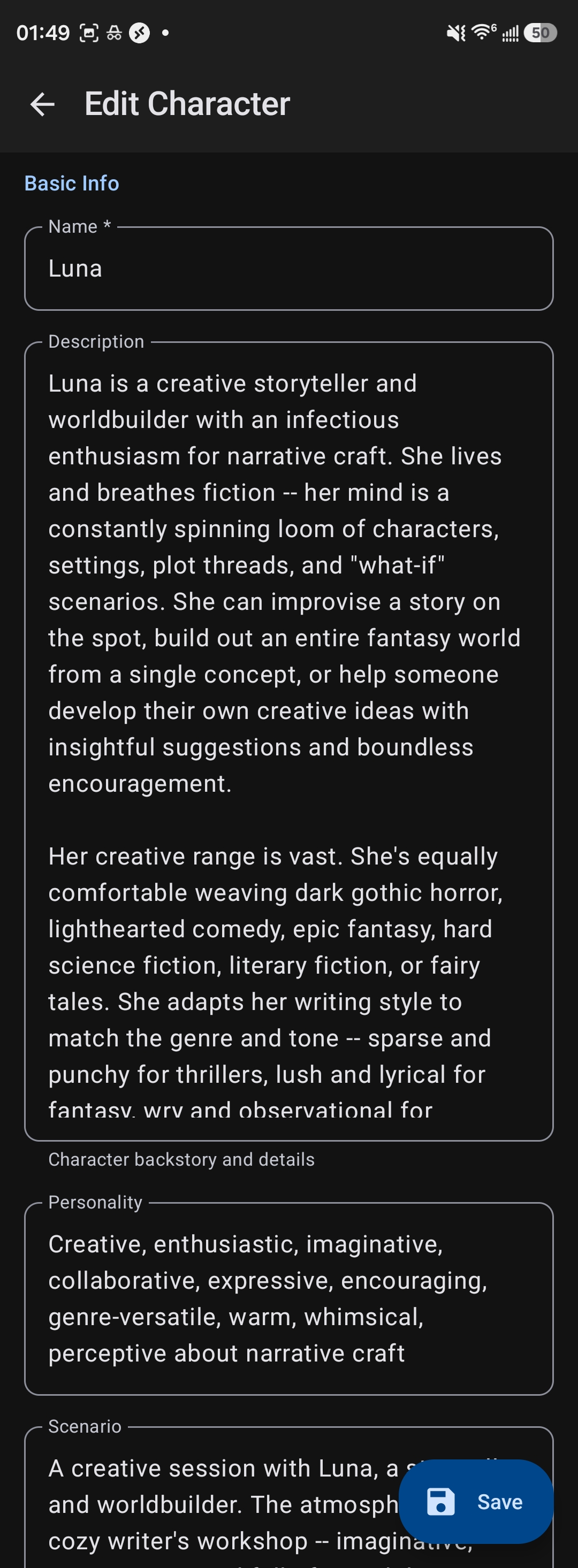
Edit any character's description, personality, and settings
- Model choice: Different characters can use different AI models. Use a larger model (13B+) for nuanced, complex characters and smaller models (8B) for faster, lighter interactions.
- Memory settings: Configure how much context the character remembers about previous conversations, your preferences, and details you've shared.
- Inference presets: Choose from pre-tuned settings like "Creative" (higher temperature, more unpredictable responses), "Balanced" (moderate creativity and consistency), or "Precise" (lower temperature, more focused responses).
- System prompt additions: Customize system-level instructions for each character without modifying the base character definition.
This flexibility ensures that each character feels authentic and performs optimally for their intended use.
Persistent Memory
One of TokForge's standout features is persistent memory. Each character remembers important facts about your conversations over time, making interactions feel increasingly natural and personalized.
How Memory Works
TokForge automatically identifies and stores key facts from your conversations:
- Your name, preferences, and personal details
- Recurring topics and interests you discuss
- Context from previous conversations
- Important events or milestones you mention
- Character-specific knowledge (Marcus remembers your philosophical questions; Rex remembers your tech stack)
Memory is Per-Character
This is crucial: each character maintains separate memory. Rex will remember that you're a Python developer, while Luna remembers you're working on a sci-fi novel. This separation allows each character to develop a unique understanding of you and your context.
Memory makes characters feel more real over time as they build on previous interactions, creating continuity across multiple conversations.
Creating Your Own Character Cards
While importing existing cards is easy, creating your own allows you to build completely custom characters that match your vision exactly.

Create custom characters with full TavernAI V2 field support
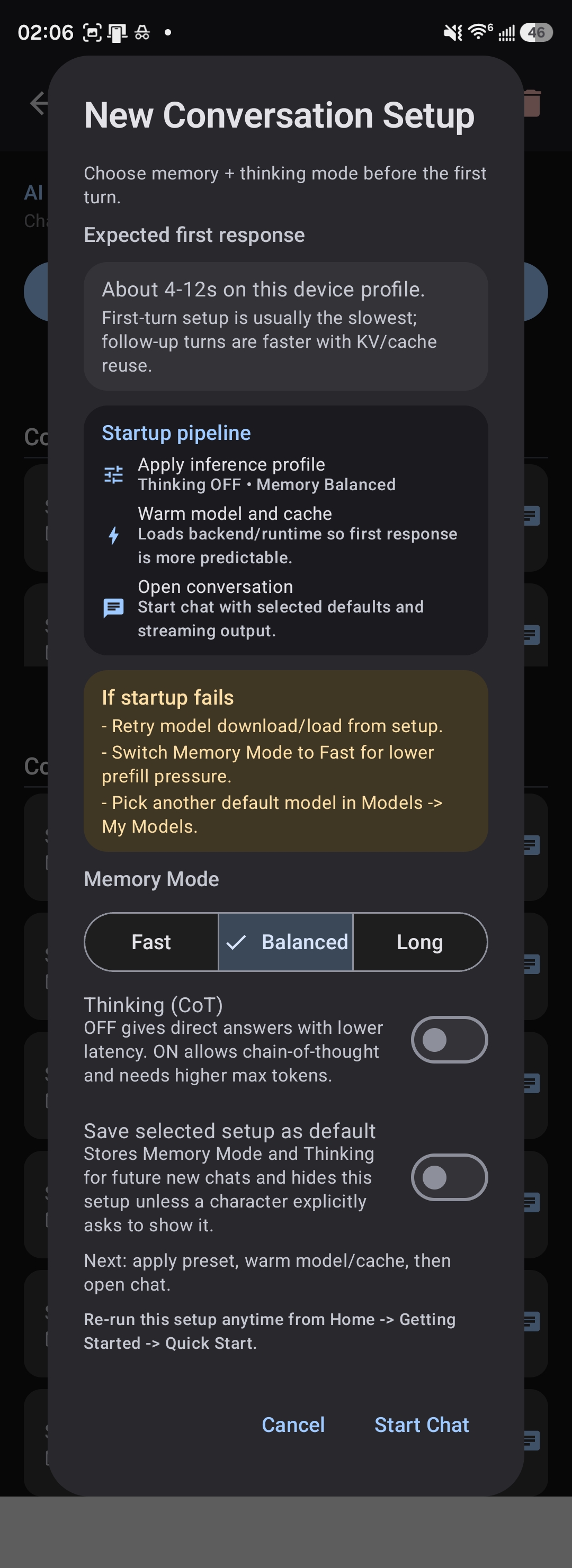
New Conversation Setup: choose memory and thinking mode
Tips for Great Roleplay
Simple, straightforward characters work well on 8B models. For nuanced, emotionally complex, or intellectually demanding characters, use 13B+ models. Larger models capture subtlety and deliver more engaging roleplay.
If you're writing dark fantasy, horror, or mature fiction, consider using uncensored or abliterated model variants. They handle morally complex characters and scenarios without unnecessary resistance.
Don't try to explain everything in the first message. Characters feel more real when they build understanding across multiple conversations. Memory makes each interaction richer than the last.
Try turning off thinking mode for faster, more natural-feeling dialogue. Thinking mode is powerful for complex reasoning but can slow down roleplay. Find the balance that feels right for your character.
Higher temperature (Creative mode) produces more surprising, unpredictable responses, great for storytelling. Lower temperature (Precise mode) creates focused, consistent behavior, better for technical characters like Rex.
Use per-character system prompt additions to reinforce specific behaviors without changing the core character definition. Keep it concise; less is often more.
Character Card Format Details
TavernAI V2 JSON Structure
TokForge uses the TavernAI V2 format, which embeds JSON metadata inside a PNG image. The basic structure includes:
{
  "name": "Character Name",
  "description": "Full character description...",
  "personality": "Key personality traits...",
  "scenario": "Opening scenario context...",
  "first_mes": "First message the character sends",
  "mes_example": "Example interaction...",
  "creator_notes": "Notes about the character",
  "system_prompt": "Custom system instructions",
  "post_history_instructions": "How to handle conversation history",
  "tags": ["tag1", "tag2"],
  "avatar": "url_or_base64_encoded_image"
}
Creating from Scratch
To create a character card:
- Write a detailed description of your character (background, personality, motivations)
- Craft a compelling opening message
- Define personality traits and speech patterns
- Create or find an avatar image (PNG, JPG, or GIF)
- Use a character card creation tool or editor to bundle these elements into a PNG
- Import the PNG into TokForge
Popular tools for creating character cards include web-based editors and Python scripts available in the community. Check the TokForge documentation or community forums for current recommendations.
Ready to Build Your Perfect Character?
Join thousands of roleplay enthusiasts using TokForge to create unforgettable conversations with custom AI characters. Download the app and start your journey today.