Building an AI Agent With TokForge's 120+ API Endpoints
Learn to orchestrate TokForge from Python. Build agents that manage models, run conversations, monitor performance, and automate AI workflows on your phone.
What You'll Build
By the end of this guide, you'll have a working Python AI agent that:
- Connects to TokForge running on your phone via HTTP API
- Manages models: list, load, and switch between them
- Creates and orchestrates multi-turn conversations with characters
- Sends prompts and reads responses with full telemetry (tokens/second, TTFT, token count)
- Monitors memory facts accumulated during conversations
- Polls generation status and handles concurrent requests
- Automates complex multi-character dialogues and workflows
Essentially, you'll treat TokForge on your phone as a remote AI backend, controlled entirely from your laptop via Python.
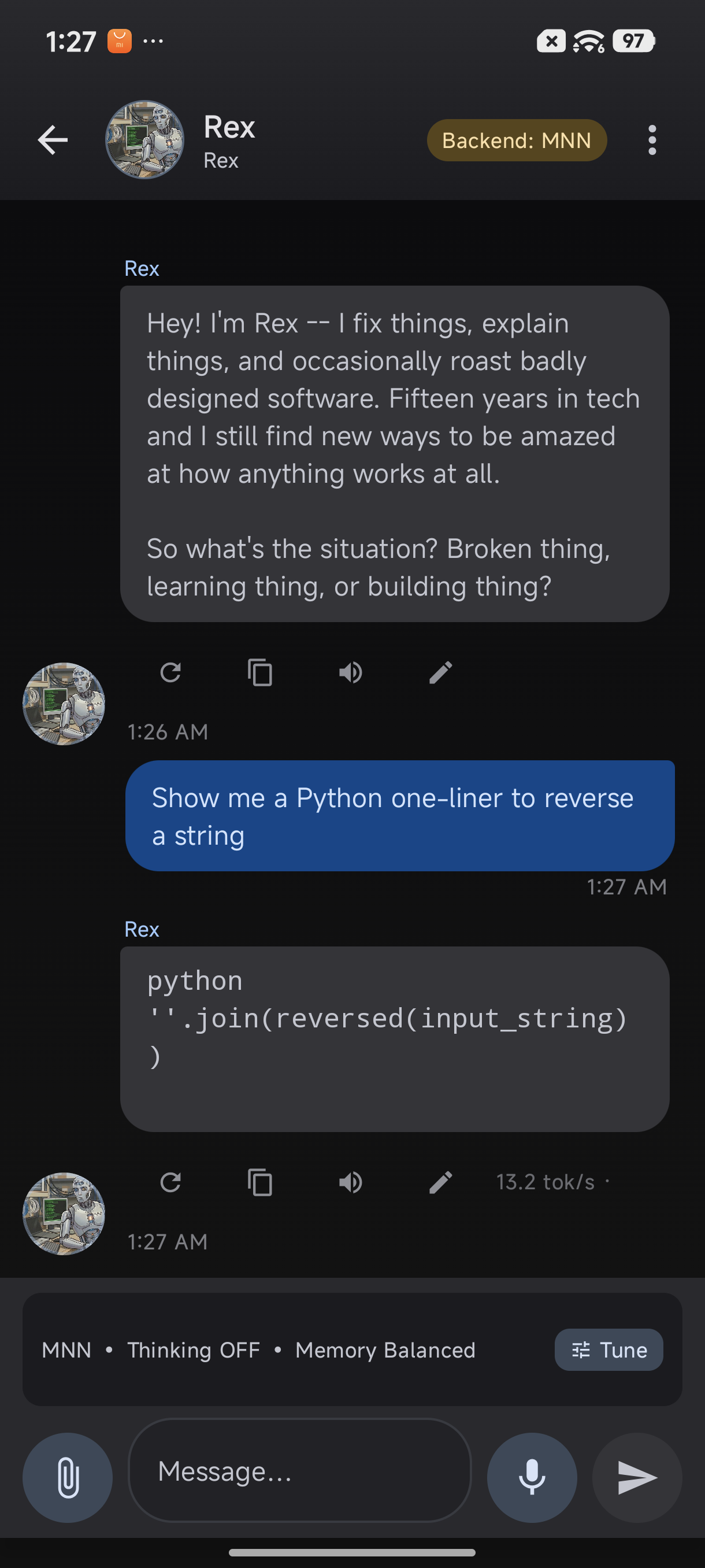
TokForge responses include detailed telemetry, perfect for agent automation
Prerequisites
- Python 3.7+ with pip installed
- requests library:
pip install requests - TokForge app installed on your phone with API enabled (see the API Walkthrough Guide)
- Network access: Phone and laptop on the same WiFi network, or ADB forwarding configured
- API token (optional but recommended for production)
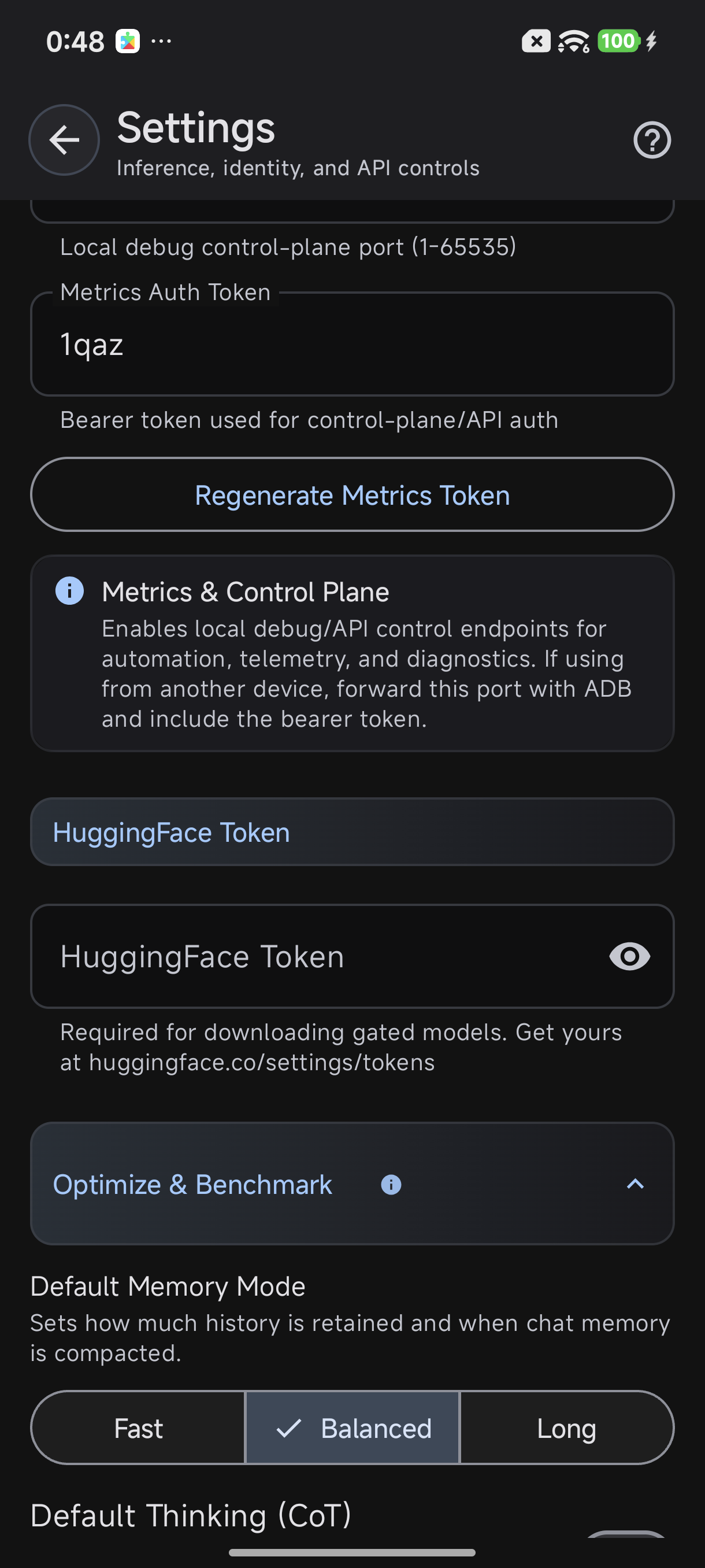
Enable the API in Settings → Advanced → Metrics Server
The TokForge API Architecture
TokForge exposes 120+ endpoints organized into 11 logical handler groups:
| Handler Group | Purpose | Key Endpoints |
|---|---|---|
| Health | Service status | /health |
| ModelBrowser | List available/downloaded models | /models/downloaded, /models/available |
| Model | Load, unload, query models | /models/{id}/load, /models/{id}/info |
| Inference | Run text generation, embeddings | /inference/generate, /inference/embed |
| Conversation | Multi-turn dialogue management | /conversations/new, /conversations/{id}/send |
| Memory | Character memory & facts | /memory/facts, /memory/store |
| Character | Character profiles & settings | /characters, /characters/{id} |
| Benchmark | Performance metrics & latency | /benchmark/stats |
| Download | Manage model downloads | /download/progress, /download/cancel |
| Diagnostic | Logs, debugging, status | /diagnostic/logs |
| Settings | App configuration | /settings, /settings/update |
Authentication: All endpoints accept an optional Bearer token via the Authorization header:
Authorization: Bearer YOUR_API_TOKENRequest/Response Format: All payloads are JSON. Responses include metadata like telemetry (tokens/sec, latency) for inference endpoints.
Step 1: Build Your API Client Class
Create a reusable TokForgeClient class to abstract HTTP calls. This makes your agent code clean and maintainable.
import requests
import json
from typing import Optional, Dict, Any

class TokForgeClient:
    """HTTP client for TokForge API with automatic Bearer token handling."""

    def __init__(self, host: str, port: int = 8088, token: str = ""):
        """
        Args:
            host: IP or hostname of phone (e.g., "192.168.1.100")
            port: TokForge API port (default 8088)
            token: Optional Bearer token for authentication
        """
        self.base_url = f"http://{host}:{port}"
        self.token = token
        self.headers = {"Content-Type": "application/json"}
        if token:
            self.headers["Authorization"] = f"Bearer {token}"

    def _request(self, method: str, path: str, data: Optional[Dict] = None) -> Dict:
        """Make HTTP request with error handling."""
        url = f"{self.base_url}{path}"
        try:
            if method == "GET":
                resp = requests.get(url, headers=self.headers, timeout=30)
            elif method == "POST":
                resp = requests.post(url, headers=self.headers, json=data or {}, timeout=30)
            else:
                raise ValueError(f"Unsupported method: {method}")

            resp.raise_for_status()
            return resp.json()
        except requests.exceptions.RequestException as e:
            print(f"API Error [{method} {path}]: {e}")
            return {"error": str(e)}

    def get(self, path: str) -> Dict:
        """GET request."""
        return self._request("GET", path)

    def post(self, path: str, data: Optional[Dict] = None) -> Dict:
        """POST request."""
        return self._request("POST", path, data)

    # High-level convenience methods

    def health(self) -> Dict:
        """Check service health."""
        return self.get("/health")

    def models_downloaded(self) -> Dict:
        """List all downloaded models."""
        return self.get("/models/downloaded")

    def models_available(self) -> Dict:
        """List available models for download."""
        return self.get("/models/available")

    def load_model(self, model_id: str) -> Dict:
        """Load a model into memory."""
        return self.post(f"/models/{model_id}/load", {})

    def unload_model(self, model_id: str) -> Dict:
        """Unload a model."""
        return self.post(f"/models/{model_id}/unload", {})

    def characters(self) -> Dict:
        """Get all character profiles."""
        return self.get("/characters")

    def new_conversation(self, character_id: str) -> Dict:
        """Start a new conversation with a character."""
        return self.post("/conversations/new", {"character_id": character_id})

    def send_message(self, conv_id: str, message: str) -> Dict:
        """Send a message in a conversation. Returns response with telemetry."""
        return self.post(f"/conversations/{conv_id}/send", {"message": message})

    def memory_facts(self, character_id: str) -> Dict:
        """Get accumulated memory facts for a character."""
        return self.get(f"/memory/facts?character_id={character_id}")

    def generation_status(self) -> Dict:
        """Check if generation is in progress."""
        return self.get("/control/generation-status")

    def settings(self) -> Dict:
        """Get app settings."""
        return self.get("/settings")

    def benchmark_stats(self) -> Dict:
        """Get performance benchmark stats."""
        return self.get("/benchmark/stats")
Step 2: Build Your Agent Loop
Now create the core agent logic that orchestrates conversations and handles telemetry.
class TokForgeAgent:
    """AI Agent that orchestrates TokForge for multi-turn dialogue."""

    def __init__(self, client: TokForgeClient, model_id: str, character_id: str):
        self.client = client
        self.model_id = model_id
        self.character_id = character_id
        self.conversation_id = None
        self.turn_count = 0
        self.total_tokens = 0
        self.total_time = 0.0

    def setup(self) -> bool:
        """Initialize agent: check health, load model, start conversation."""
        # 1. Check health
        health = self.client.health()
        if "error" in health:
            print(f"❌ Health check failed: {health['error']}")
            return False
        print(f"✓ Service is healthy")

        # 2. Load model
        print(f"Loading model {self.model_id}...")
        load_result = self.client.load_model(self.model_id)
        if "error" in load_result:
            print(f"❌ Failed to load model: {load_result['error']}")
            return False
        print(f"✓ Model loaded")

        # 3. Start conversation
        print(f"Starting conversation with character {self.character_id}...")
        conv = self.client.new_conversation(self.character_id)
        if "error" in conv or "id" not in conv:
            print(f"❌ Failed to create conversation: {conv}")
            return False
        self.conversation_id = conv["id"]
        print(f"✓ Conversation started: {self.conversation_id}")

        return True

    def send_prompt(self, prompt: str) -> Optional[str]:
        """Send a prompt and return the response."""
        if not self.conversation_id:
            print("❌ No active conversation")
            return None

        self.turn_count += 1
        print(f"\n[Turn {self.turn_count}] You: {prompt}")

        response_data = self.client.send_message(self.conversation_id, prompt)

        if "error" in response_data:
            print(f"❌ Error: {response_data['error']}")
            return None

        # Extract response and telemetry
        response_text = response_data.get("response", "")
        telemetry = response_data.get("telemetry", {})

        tokens_per_sec = telemetry.get("tokens_per_second", 0)
        ttft = telemetry.get("ttft_ms", 0)
        token_count = telemetry.get("tokens_generated", 0)

        print(f"Agent: {response_text}")
        print(f"  📊 {token_count} tokens @ {tokens_per_sec:.1f} tok/s (TTFT: {ttft}ms)")

        self.total_tokens += token_count
        self.total_time += ttft / 1000.0

        return response_text

    def get_memory(self) -> Dict:
        """Retrieve accumulated memory facts."""
        memory = self.client.memory_facts(self.character_id)
        return memory.get("facts", [])

    def print_stats(self):
        """Print conversation statistics."""
        avg_time = self.total_time / max(self.turn_count, 1)
        print(f"\n" + "="*50)
        print(f"Conversation Summary")
        print(f"="*50)
        print(f"Turns: {self.turn_count}")
        print(f"Total tokens: {self.total_tokens}")
        print(f"Avg TTFT: {avg_time*1000:.1f}ms")
        memory = self.get_memory()
        print(f"Memory facts: {len(memory)}")
        print("="*50)
Step 3: Advanced Patterns
Multi-Character Orchestration
Switch between characters mid-session or run parallel conversations:
class MultiCharacterAgent:
    """Manage multiple character conversations simultaneously."""

    def __init__(self, client: TokForgeClient, model_id: str):
        self.client = client
        self.model_id = model_id
        self.conversations = {}  # {character_id: conv_id}

    def start_with(self, character_id: str) -> str:
        """Start conversation with a character."""
        if character_id in self.conversations:
            return self.conversations[character_id]

        conv = self.client.new_conversation(character_id)
        conv_id = conv.get("id")
        if conv_id:
            self.conversations[character_id] = conv_id
        return conv_id

    def send_to(self, character_id: str, message: str) -> Dict:
        """Send message to specific character."""
        conv_id = self.conversations.get(character_id)
        if not conv_id:
            conv_id = self.start_with(character_id)
        return self.client.send_message(conv_id, message)
Performance Monitoring Dashboard
Track metrics over time to optimize agent behavior:
import time

class PerformanceMonitor:
    """Track and analyze agent performance metrics."""

    def __init__(self):
        self.metrics = []

    def record(self, tokens: int, ttft_ms: float, tokens_per_sec: float):
        """Record a generation event."""
        self.metrics.append({
            "timestamp": time.time(),
            "tokens": tokens,
            "ttft_ms": ttft_ms,
            "tokens_per_sec": tokens_per_sec
        })

    def report(self):
        """Print performance summary."""
        if not self.metrics:
            print("No metrics recorded")
            return

        tokens = [m["tokens"] for m in self.metrics]
        ttfts = [m["ttft_ms"] for m in self.metrics]
        rates = [m["tokens_per_sec"] for m in self.metrics]

        print(f"\nPerformance Report ({len(self.metrics)} samples)")
        print(f"  Avg tokens/generation: {sum(tokens)/len(tokens):.1f}")
        print(f"  Avg TTFT: {sum(ttfts)/len(ttfts):.1f}ms")
        print(f"  Avg throughput: {sum(rates)/len(rates):.1f} tok/s")
        print(f"  Peak throughput: {max(rates):.1f} tok/s")
Auto Model Switching
Switch models based on task complexity:
class AdaptiveAgent:
    """Switch models based on task requirements."""

    def __init__(self, client: TokForgeClient, fast_model: str, powerful_model: str):
        self.client = client
        self.fast = fast_model
        self.powerful = powerful_model
        self.current = None

    def choose_model(self, prompt: str) -> str:
        """Select model based on prompt length/complexity."""
        # Simple heuristic: complex prompts → powerful model
        if len(prompt) > 200 or any(x in prompt.lower() for x in ["analyze", "complex", "detailed"]):
            return self.powerful
        return self.fast

    def send(self, prompt: str) -> Dict:
        """Send with automatic model selection."""
        model = self.choose_model(prompt)
        if model != self.current:
            print(f"Switching to {model}")
            self.client.load_model(model)
            self.current = model
        # ... send prompt ...
Step 4: Full Working Example
Put it all together in a complete, runnable script:
#!/usr/bin/env python3
"""
Complete example: AI Agent controlling TokForge on your phone.
Run: python agent.py --host 192.168.1.100 --token YOUR_TOKEN
"""

import argparse
import sys

def main():
    parser = argparse.ArgumentParser(description="TokForge AI Agent")
    parser.add_argument("--host", required=True, help="Phone IP (e.g., 192.168.1.100)")
    parser.add_argument("--port", type=int, default=8088, help="API port")
    parser.add_argument("--token", default="", help="Bearer token")
    parser.add_argument("--model", default="mistral-7b", help="Model ID to load")
    parser.add_argument("--character", default="assistant", help="Character ID")

    args = parser.parse_args()

    # Initialize client and agent
    client = TokForgeClient(args.host, args.port, args.token)
    agent = TokForgeAgent(client, args.model, args.character)

    # Setup
    if not agent.setup():
        print("Setup failed")
        sys.exit(1)

    # Interactive loop
    monitor = PerformanceMonitor()

    print("\nAgent ready. Type 'quit' to exit, 'stats' for summary.\n")

    while True:
        try:
            user_input = input("You: ").strip()

            if user_input.lower() == "quit":
                break
            elif user_input.lower() == "stats":
                agent.print_stats()
                monitor.report()
                continue
            elif not user_input:
                continue

            # Send prompt and collect telemetry
            response = client.send_message(agent.conversation_id, user_input)
            if "telemetry" in response:
                tel = response["telemetry"]
                monitor.record(
                    tel.get("tokens_generated", 0),
                    tel.get("ttft_ms", 0),
                    tel.get("tokens_per_second", 0)
                )

        except KeyboardInterrupt:
            print("\nExiting...")
            break
        except Exception as e:
            print(f"Error: {e}")

    # Final summary
    agent.print_stats()
    monitor.report()

if __name__ == "__main__":
    main()
Real API Responses
Health Endpoint
Check service status and version.
{
  "status": "ok",
  "version": "2.1.0",
  "uptime_seconds": 3847,
  "models_loaded": 1,
  "api_endpoints": 127
}
Models Downloaded
List all downloaded models with metadata.
{
  "models": [
    {
      "id": "mistral-7b",
      "name": "Mistral 7B",
      "size_gb": 4.2,
      "quantization": "q4_0",
      "downloaded": true,
      "last_loaded": "2025-01-15T10:32:00Z"
    },
    {
      "id": "llama2-13b",
      "name": "Llama 2 13B",
      "size_gb": 7.8,
      "quantization": "q4_0",
      "downloaded": true,
      "last_loaded": "2025-01-14T18:20:00Z"
    }
  ]
}
Send Message (Conversation)
Send a message and get response with full telemetry.
Request:
{
  "message": "What is the capital of France?"
}

Response:
{
  "id": "conv_abc123",
  "response": "The capital of France is Paris. It's located in the north-central part of the country and is known for its iconic landmarks like the Eiffel Tower and Notre-Dame Cathedral.",
  "telemetry": {
    "tokens_generated": 47,
    "tokens_per_second": 18.3,
    "ttft_ms": 245,
    "latency_ms": 2567,
    "model_id": "mistral-7b",
    "timestamp": "2025-01-15T10:35:22Z"
  },
  "memory": {
    "facts_added": 1,
    "total_facts": 12
  }
}
Memory Facts
Retrieve accumulated memory for a character.
{
  "character_id": "assistant",
  "total_facts": 12,
  "facts": [
    {
      "id": "fact_001",
      "content": "User is interested in AI and machine learning",
      "confidence": 0.95,
      "created_at": "2025-01-15T09:20:00Z"
    },
    {
      "id": "fact_002",
      "content": "User prefers detailed technical explanations",
      "confidence": 0.87,
      "created_at": "2025-01-15T09:25:00Z"
    }
  ]
}
Deployment & Best Practices
- Network Security: Use VPN or ADB forwarding if running over untrusted networks. Always enable API authentication tokens in production.
- Error Handling: The agent examples above include basic error checking. Wrap API calls in try-except and implement exponential backoff for retries.
- Token Management: Monitor total tokens generated; implement rate limiting if needed to avoid overwhelming your phone's resources.
- Model Lifecycle: Unload models when switching to free memory on the phone. Use
/models/{id}/unloadfor cleanup. - Concurrency: TokForge queues generation requests. Poll
/control/generation-statusto know when requests complete. - Monitoring: Collect telemetry (tokens/sec, TTFT, memory usage) from every response. Use this to optimize model selection and prompt design.
Next Steps
You now have the foundation for building sophisticated AI agents with TokForge. Here are natural extensions:
- API Reference: Explore all 120+ endpoints in the API documentation. Each endpoint is fully documented with request/response schemas.
- API Walkthrough: Follow the API Walkthrough Guide for hands-on examples with curl and Postman.
- Advanced Automation: Build specialized agents for specific tasks (summarization, Q&A, content generation, code review) using multi-character orchestration and model switching.
- Integration: Connect your agent to other services (Slack bots, webhooks, scheduled tasks) to create end-to-end automation pipelines.